mirror of
https://github.com/infiniflow/ragflow.git
synced 2026-08-24 17:10:12 +08:00
 1097cc9c84
add chat channel images
add compilation docs
fixed incorrect section organization of agent docs
fixed duplicate text issues.
26 lines
1.1 KiB
Markdown
26 lines
1.1 KiB
Markdown
---
|
|
sidebar_position: 3
|
|
title: Connect Chat
|
|
sidebar_label: Connect Chat
|
|
slug: /connect_chat_channel
|
|
sidebar_custom_props: {
|
|
categoryIcon: LucideMessagesSquare
|
|
}
|
|
---
|
|
|
|
# Connect Chat
|
|
|
|
After a chat channel is added successfully, you need to connect it to a Chat. After the connection is complete, user messages received from external channels enter the Chat for answering.
|
|
|
|
Operation steps:
|
|
|
|
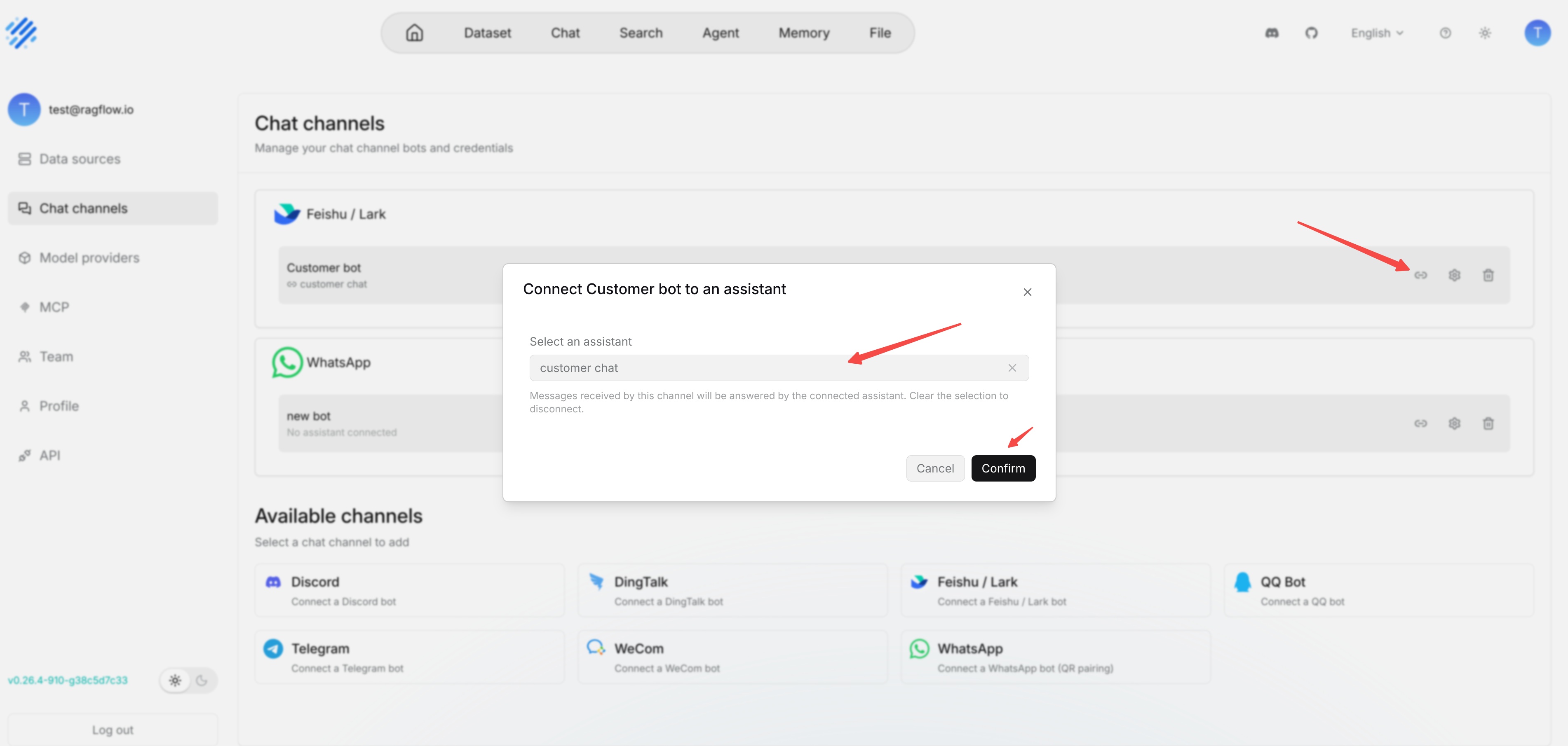
1. Find the added channel on the **Chat channels** page.
|
|
2. Click the connection or edit entry for that channel.
|
|
3. Select the target Chat from the available Chat list.
|
|
4. Save the configuration.
|
|
5. Return to the corresponding third-party platform and send a test message to the bot.
|
|
|
|
|
|
|
|
If the test message receives no reply, first check whether the channel has been connected to a Chat. Then check whether the bot is online, whether third-party platform permissions are complete, and whether the Chat itself can answer normally on the RAGFlow page.
|