After a chat channel is added successfully, you need to connect it to a Chat. After the connection is complete, user messages received from external channels enter the Chat for answering.
Operation steps:
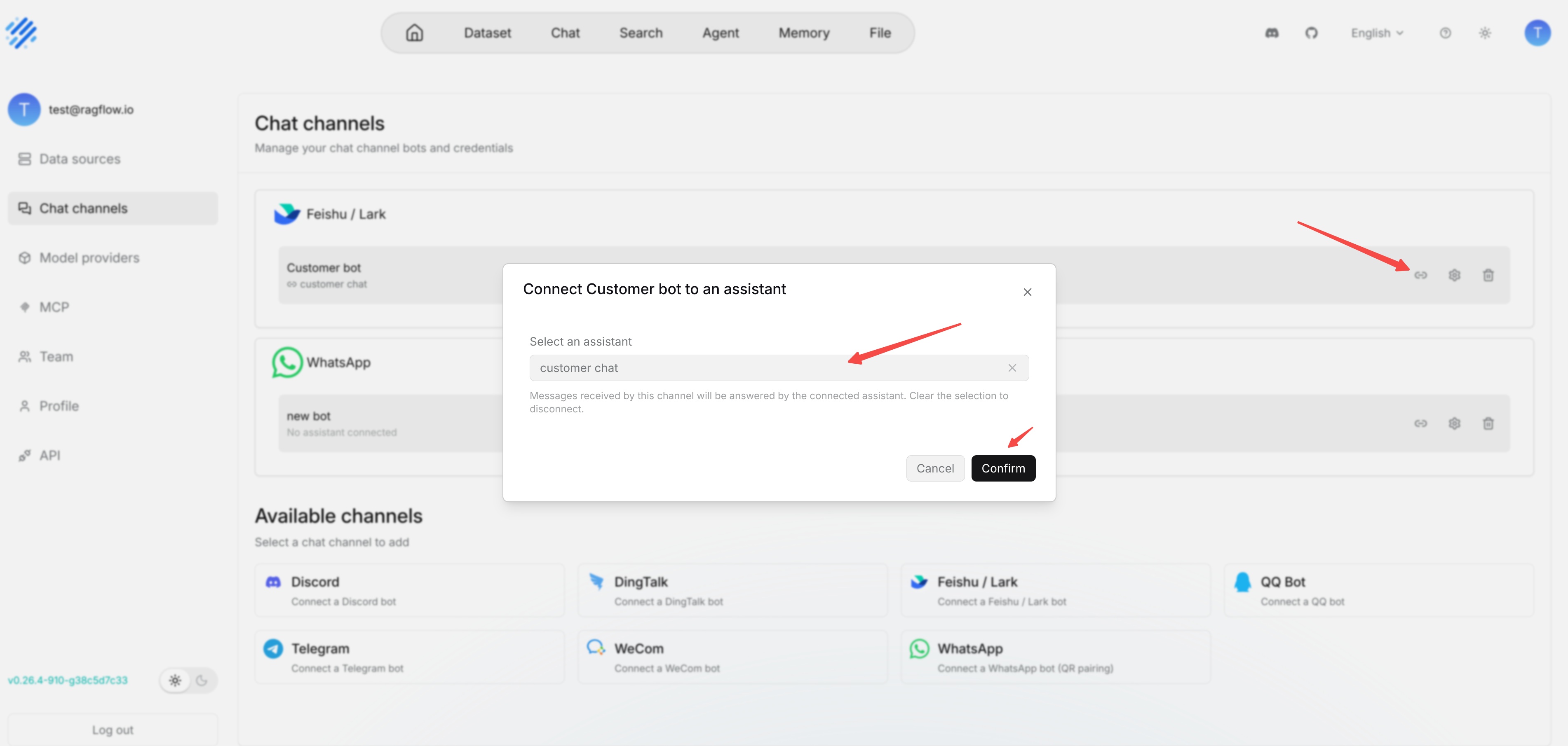
1. Find the added channel on the **Chat channels** page.
2. Click the connection or edit entry for that channel.
3. Select the target Chat from the available Chat list.
4. Save the configuration.
5. Return to the corresponding third-party platform and send a test message to the bot.
If the test message receives no reply, first check whether the channel has been connected to a Chat. Then check whether the bot is online, whether third-party platform permissions are complete, and whether the Chat itself can answer normally on the RAGFlow page.
