
17 KiB
sidebar_position, slug, sidebar_custom_props
| sidebar_position | slug | sidebar_custom_props | ||
|---|---|---|---|---|
| 4 | /tool_components |
|
Tool Components
Tool components extend an Agent's ability to retrieve information, query data, call external systems and generate deliverables. Select tools according to the business scenario and configure only the parameters required by the workflow.
Tool Selection Suggestions
- Use web search or extraction tools when the Agent needs public web information.
- Use academic retrieval tools when the Agent needs papers, medical literature or research references.
- Use SQL and financial query tools when the Agent needs structured data or market information.
- Use HTTP Request and Email for communication with external systems.
- Use Document Generator and Browser for content generation and automation tasks.
Web Page and Information Retrieval
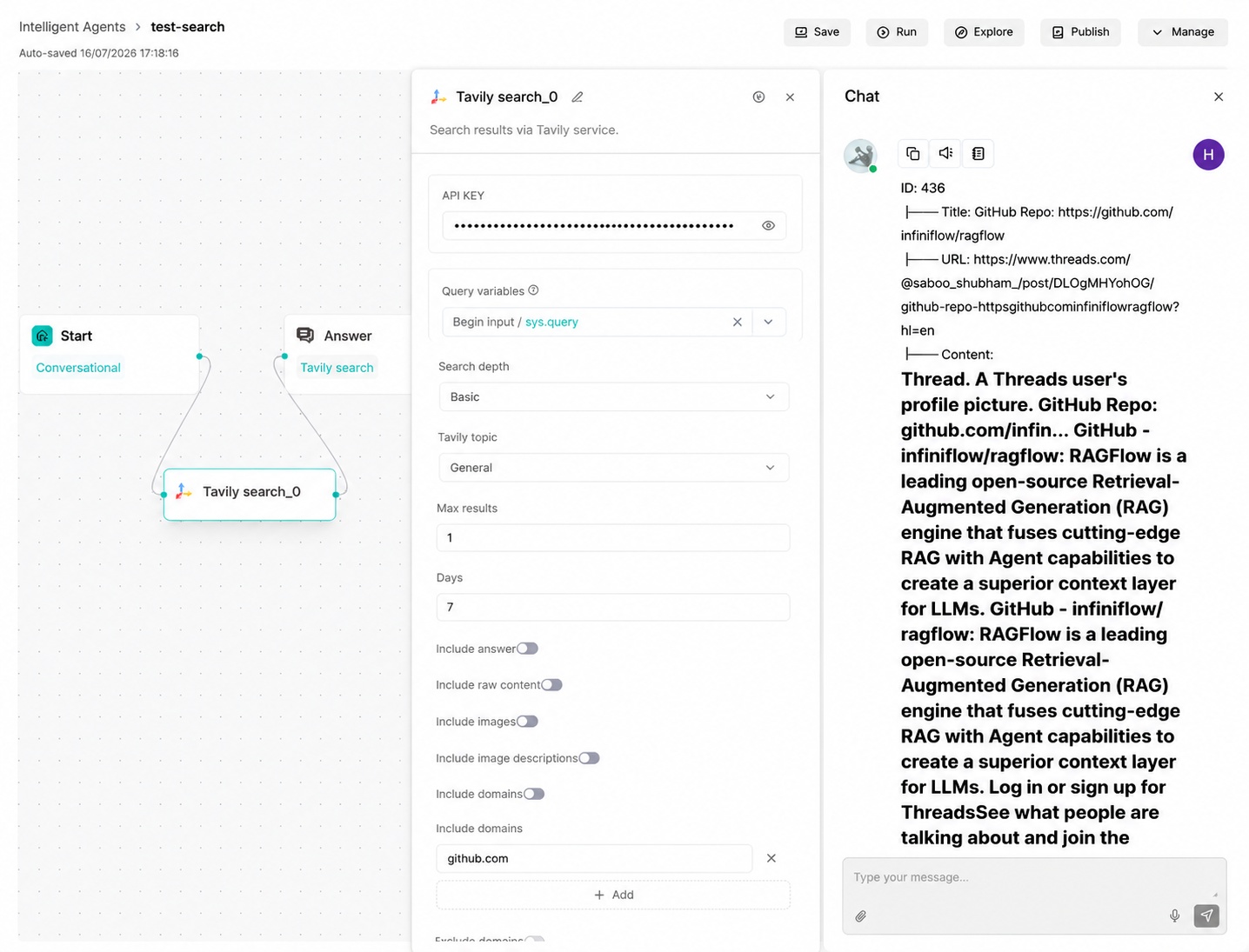
Tavily Search (TavilySearch)
Tavily Search retrieves web results through Tavily. It is suitable for public web search, news search and supplementing knowledge base retrieval with external information.
Parameter Description
| Parameter | Type | Required | Default | Description |
|---|---|---|---|---|
query |
string | Yes | {sys.query} |
Search keywords or question. |
topic |
string | No | general |
Search topic. Common values are general and news. |
search_depth |
string | No | basic |
Search depth. Common values are basic and advanced. |
top_n |
integer | No | 10 | Maximum number of returned results. |
Supported Parameter Values
topic:general,newssearch_depth:basic,advanced
Configuration Example
{
  "query": "RAGFlow open source",
  "topic": "general",
  "search_depth": "basic"
}
Output Result
The component returns search result items, including titles, URLs, snippets and related metadata. Downstream Agent or Message components can reference the result content for answer generation.
Tavily Extract (TavilyExtract)
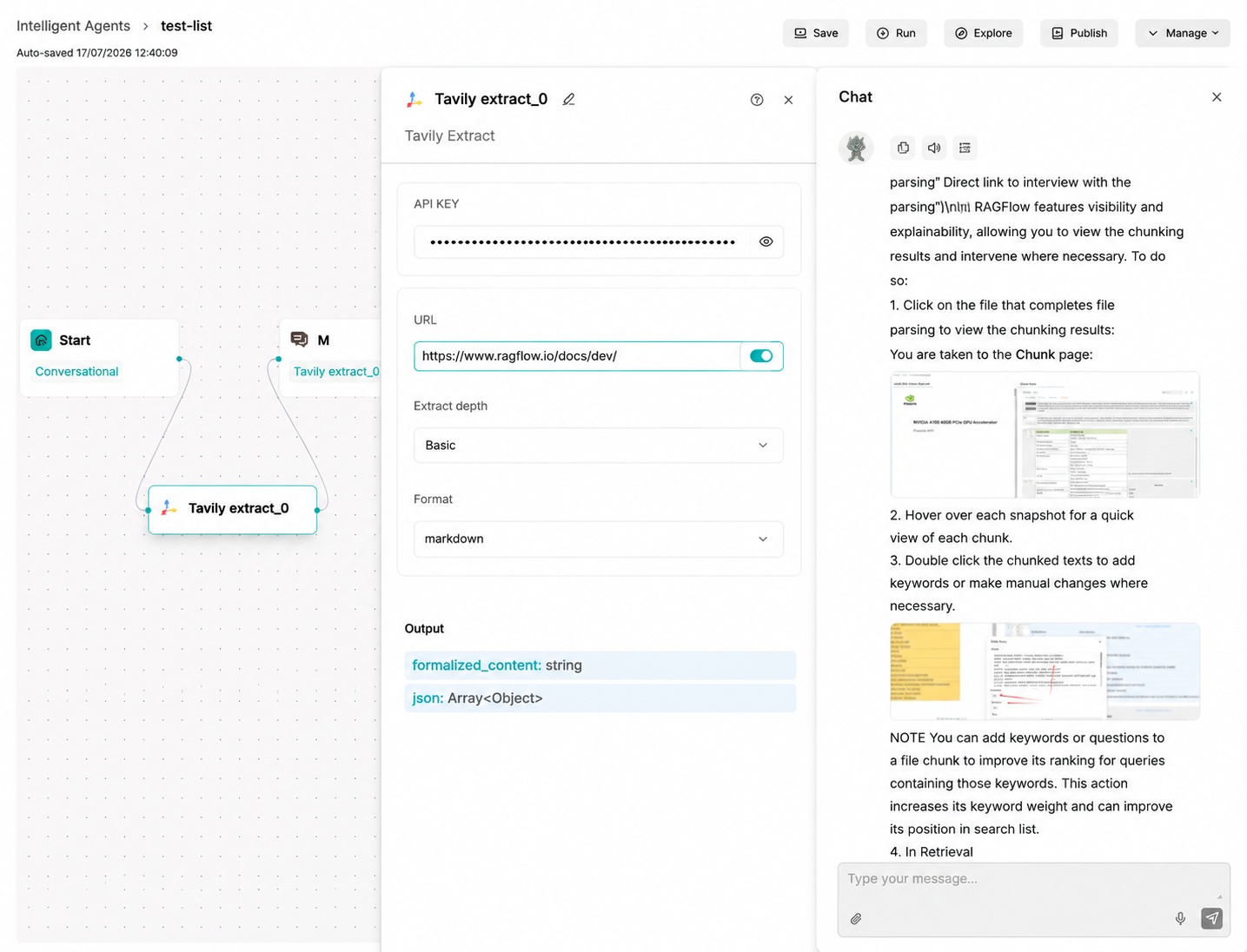
Tavily Extract extracts content from specified web pages. It is suitable for reading known URLs, article pages, documentation pages or web pages found by a previous search step.
Parameter Description
| Parameter | Type | Required | Default | Description |
|---|---|---|---|---|
urls |
array/string | Yes | Empty | One or more URLs to extract. |
extract_depth |
string | No | basic |
Extraction depth. Common values are basic and advanced. |
format |
string | No | markdown |
Output format, such as text or markdown. |
Supported Parameter Values
extract_depth:basic,advancedformat:text,markdown
Configuration Example
{
  "urls": ["https://ragflow.io/docs"],
  "extract_depth": "basic",
  "format": "markdown"
}
Output Result
The component returns extracted page text and metadata. The extracted text can be passed to Agent, Text Processing or Data Operation components.
Google Search (Google)
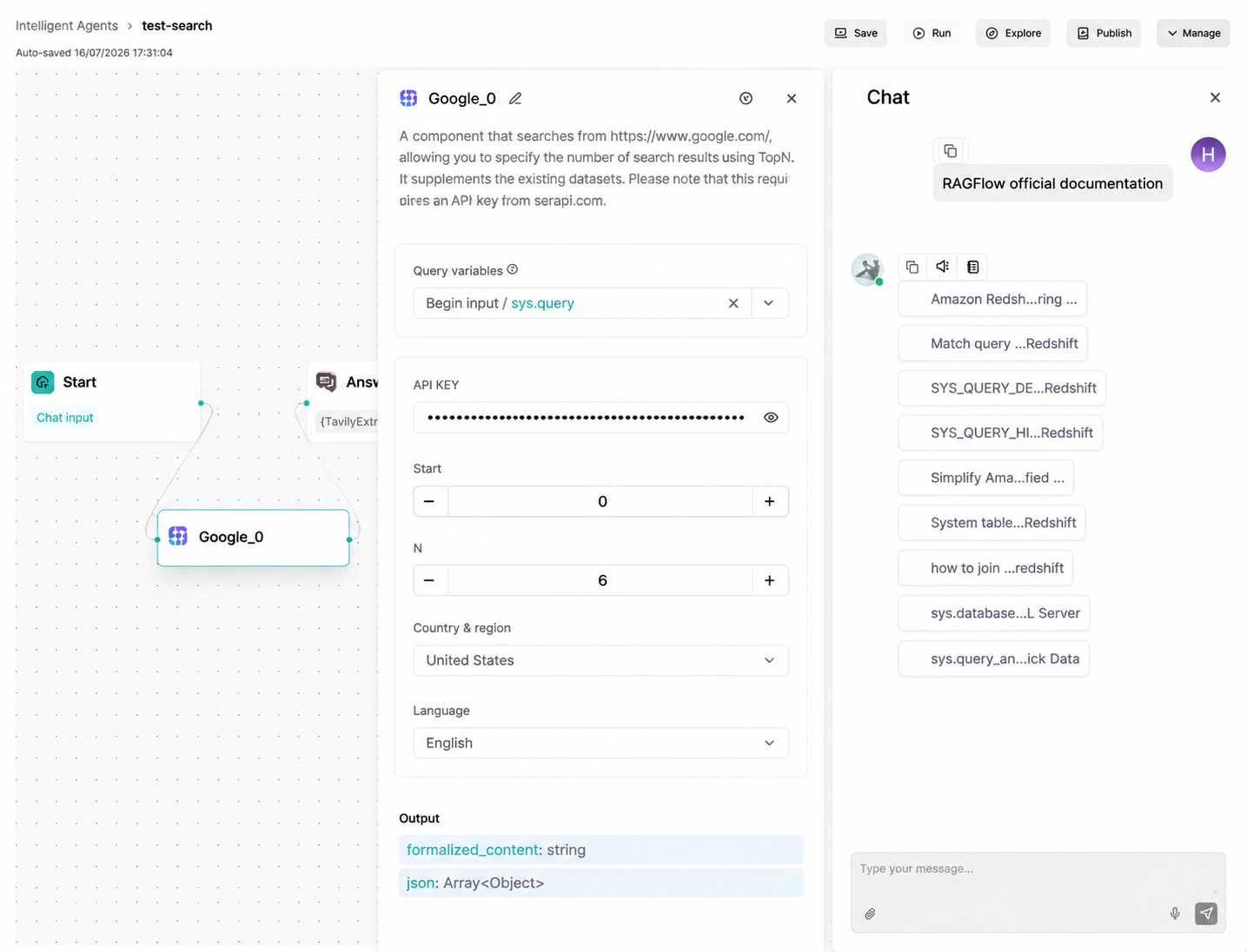
Google Search retrieves public web results through Google. It is suitable for broad web search scenarios where a Google-compatible search capability has been configured.
Parameter Description
| Parameter | Type | Required | Default | Description |
|---|---|---|---|---|
query |
string | Yes | {sys.query} |
Search keywords. |
top_n |
integer | No | 10 | Maximum number of returned results. |
Configuration Example
{
  "query": "RAGFlow Agent workflow"
}
Output Result
The component returns search result titles, URLs and summaries for downstream processing.
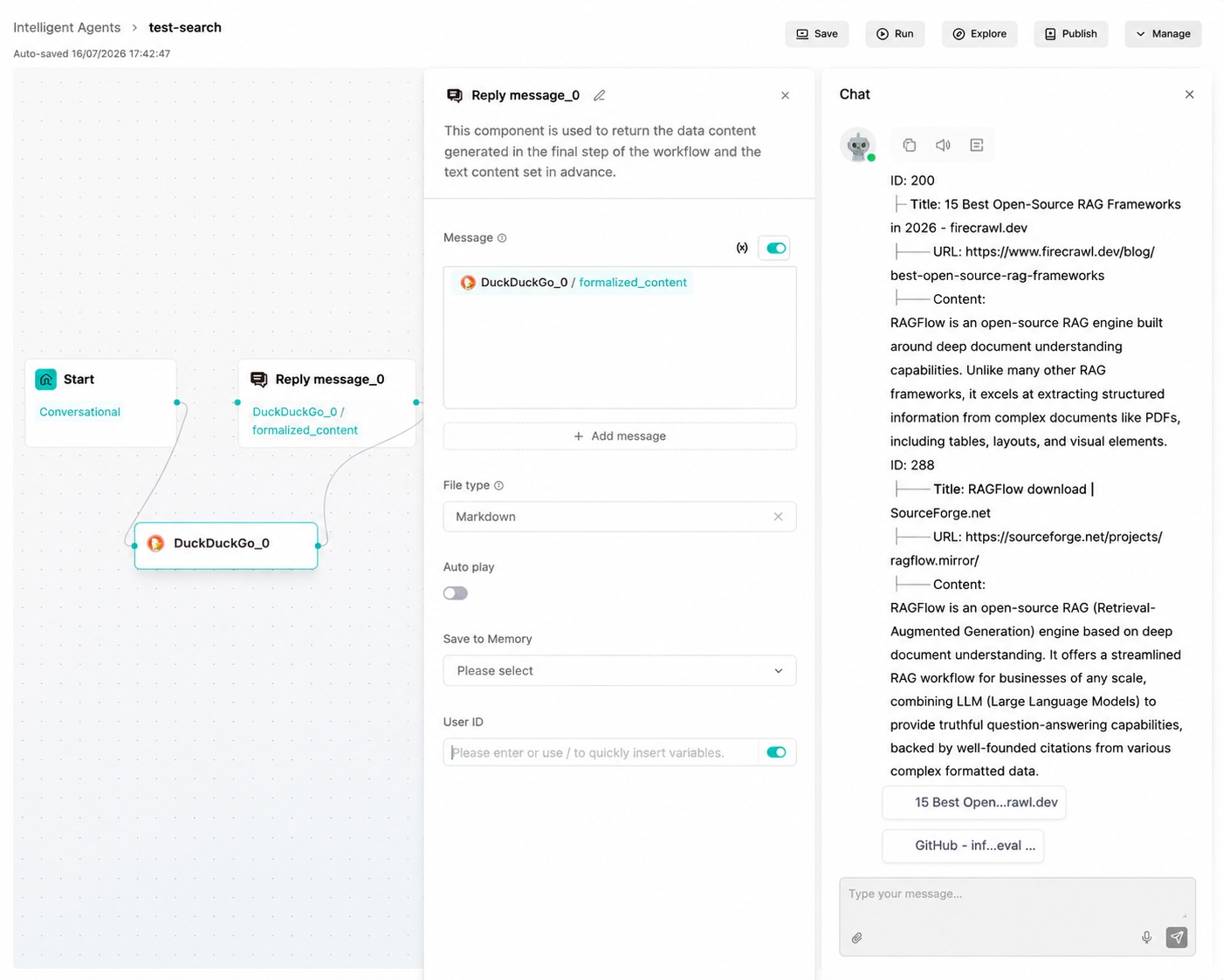
DuckDuckGo (DuckDuckGo)
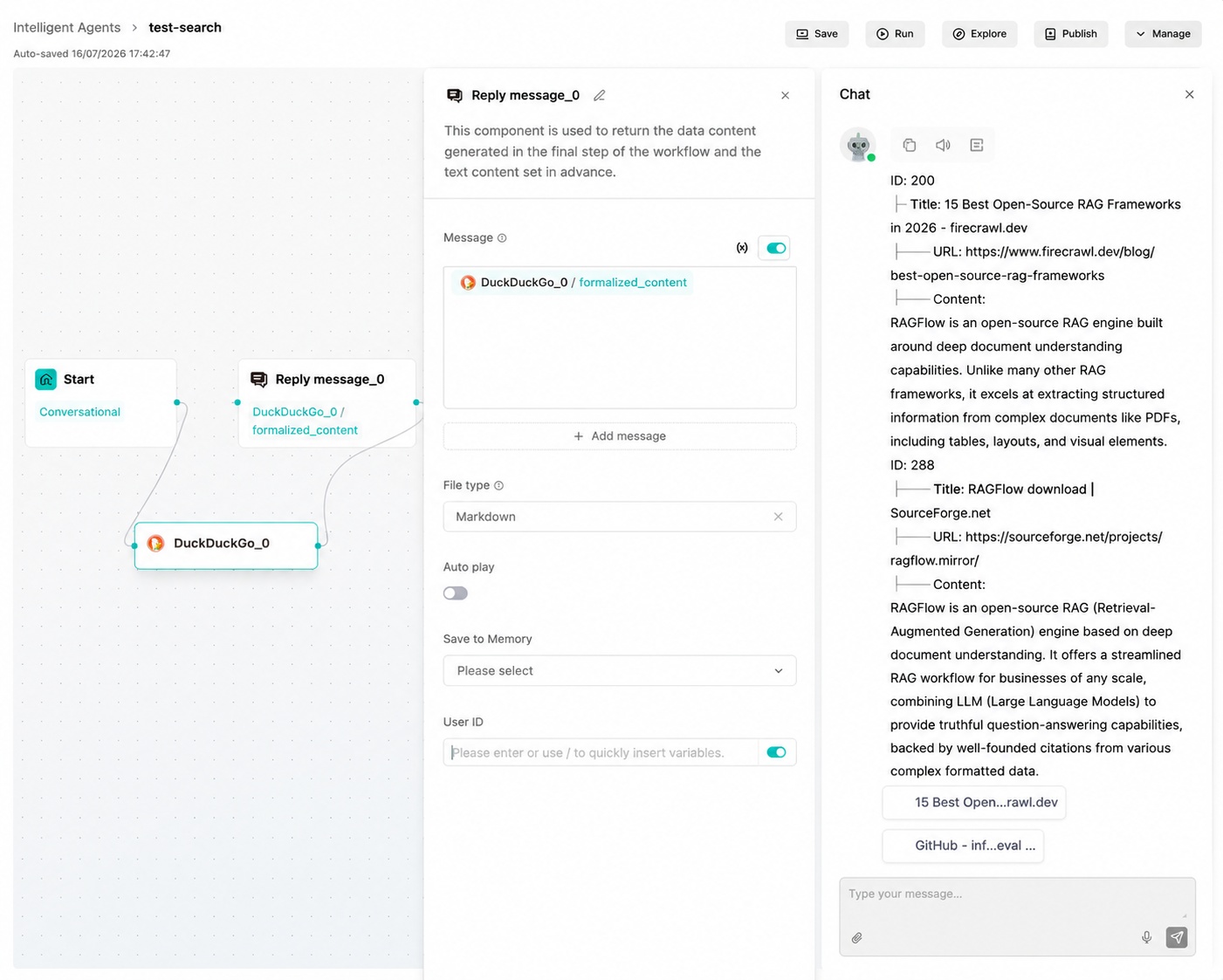
DuckDuckGo is a privacy-focused search engine component. It does not require a separate API key and can be used for general web and news retrieval.
Parameter Description
| Parameter | Type | Required | Default | Description |
|---|---|---|---|---|
query |
string | Yes | {sys.query} |
Search keywords. |
channel |
string | No | general |
Channel exposed by tool metadata, such as general or news. |
top_n |
integer | No | 10 | Maximum number of returned results. |
Configuration Example
{
  "query": "RAGFlow open source",
  "channel": "general"
}
Output Result
The component returns web search result items. Confirm parameter mapping in the current version before using news retrieval.
SearXNG (SearXNG)
SearXNG searches through a configured SearXNG instance. It is suitable for teams that need self-hosted or privacy-oriented meta-search.
Parameter Description
| Parameter | Type | Required | Default | Description |
|---|---|---|---|---|
query |
string | Yes | {sys.query} |
Search keywords. |
top_n |
integer | No | 10 | Maximum number of returned results. |
base_url |
string | Yes | Empty | SearXNG service address. |
Configuration Example
{
  "query": "retrieval augmented generation",
  "base_url": "https://searxng.example.com"
}
Output Result
The component returns normalized search results from the configured SearXNG service.
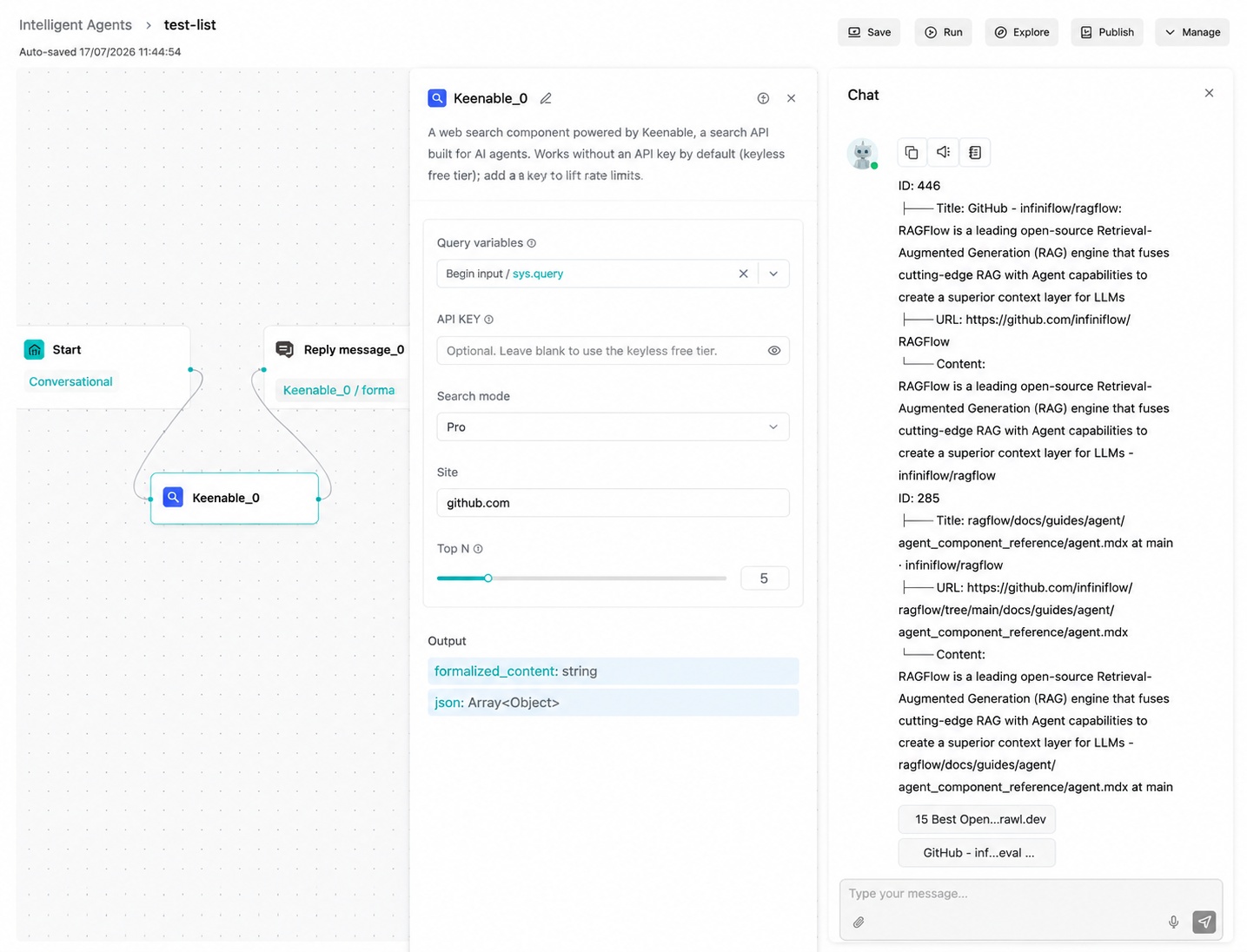
Keenable (KeenableSearch)
Keenable Search retrieves information through the configured Keenable service. Use it when the workflow requires that search provider.
Parameter Description
| Parameter | Type | Required | Default | Description |
|---|---|---|---|---|
query |
string | Yes | {sys.query} |
Search keywords. |
top_n |
integer | No | 10 | Maximum number of returned results. |
Configuration Example
{
  "query": "enterprise RAG deployment"
}
Output Result
The component returns search results that can be used by downstream Agent or Message components.
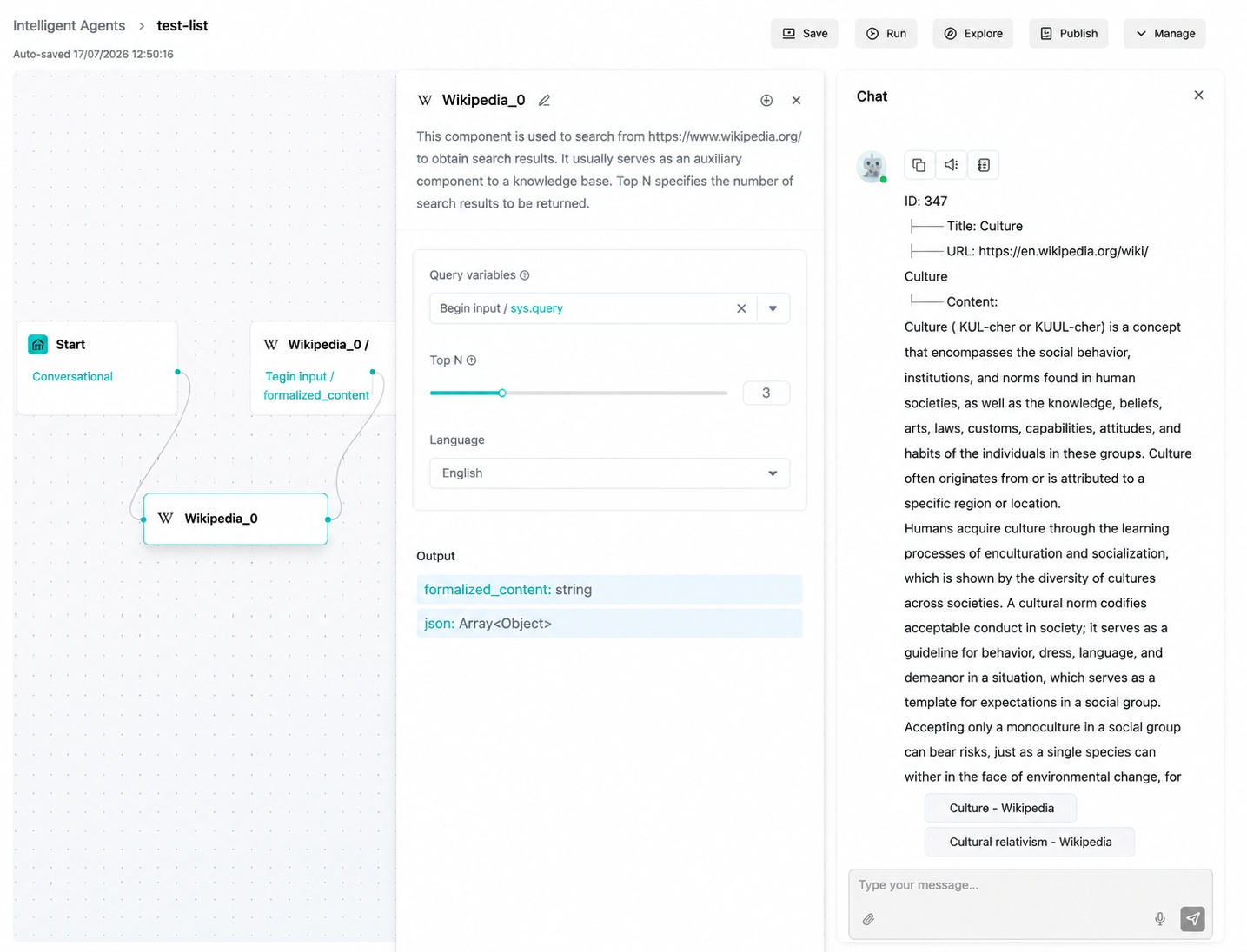
Wikipedia (Wikipedia)
Wikipedia searches encyclopedia entries and extracts summaries. It is suitable for querying clear entities, concepts and historical events.
Parameter Description
| Parameter | Type | Required | Default | Description |
|---|---|---|---|---|
query |
string | Yes | {sys.query} |
Specific entry topic or keyword. |
top_n |
integer | No | 10 | Maximum number of entries. |
language |
string | No | en |
Wikipedia language code, such as zh, en or ja. |
Configuration Example
{
  "query": "culture"
}
Output Result
The component returns matching entries, summaries and related metadata.
Academic Literature Retrieval
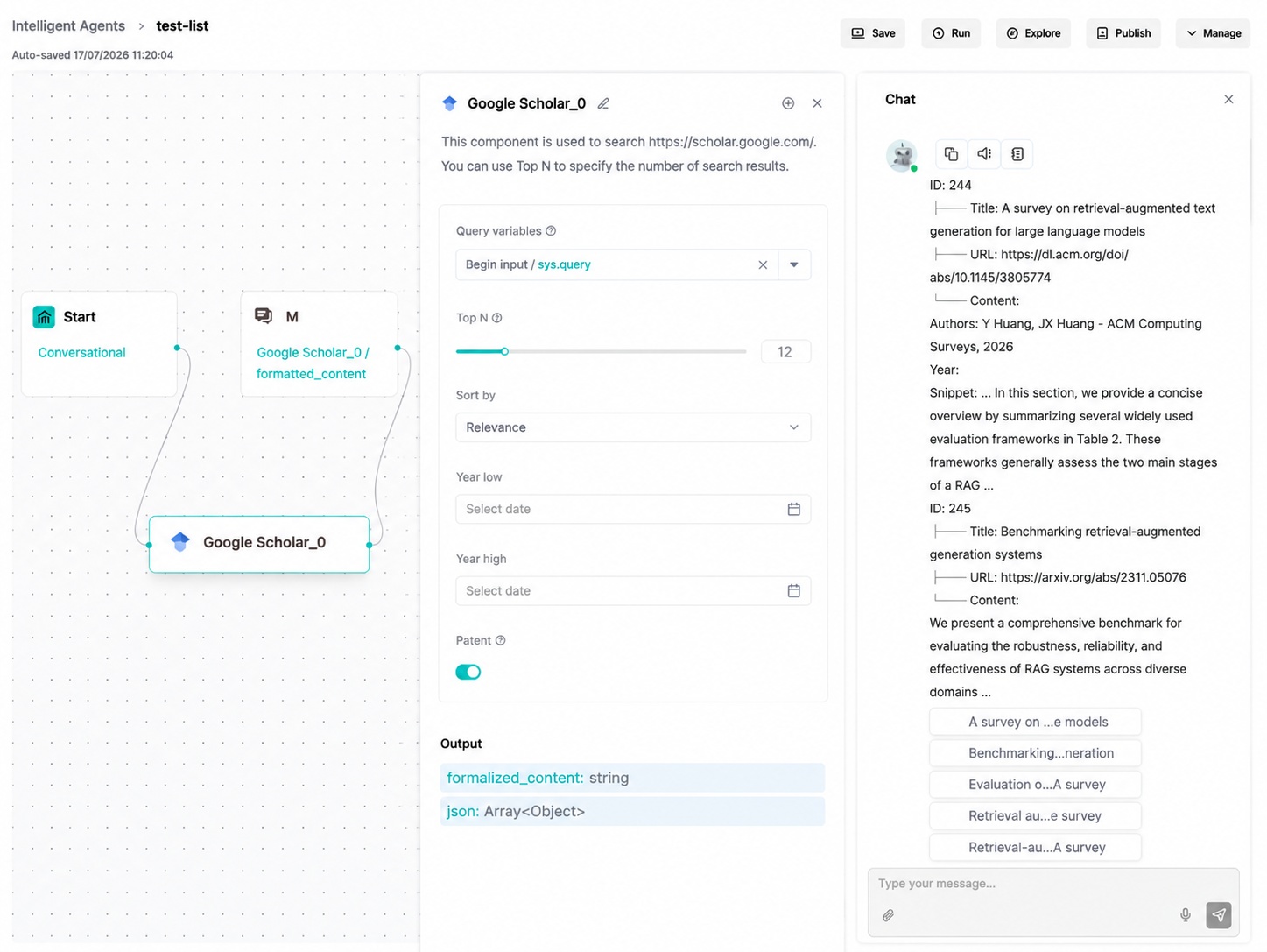
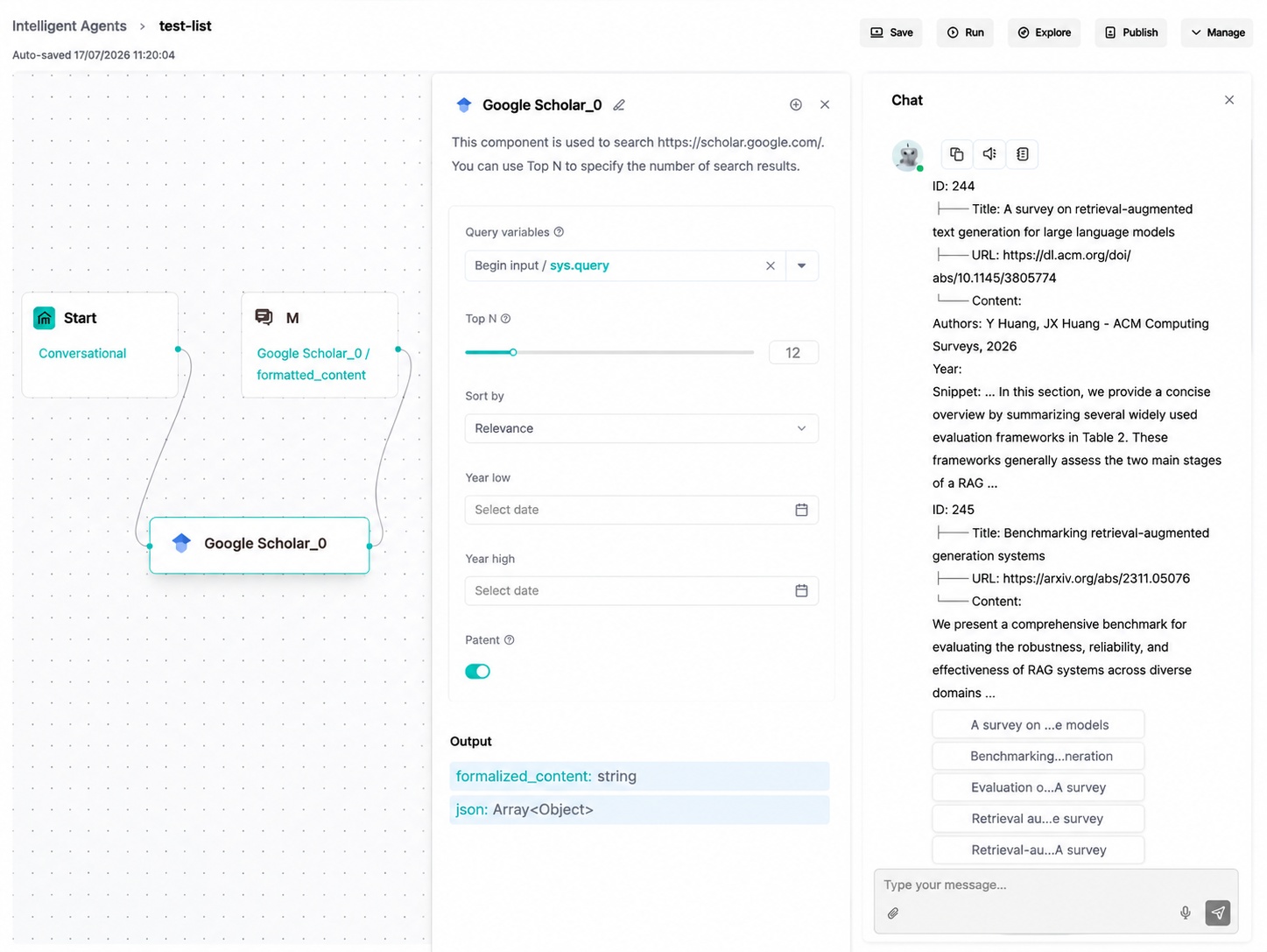
Google Scholar (GoogleScholar)
Google Scholar retrieves papers, theses, books, abstracts and other academic materials. It is suitable for preliminary literature discovery and should not replace verification of original papers and citation details.
Parameter Description
| Parameter | Type | Required | Default | Description |
|---|---|---|---|---|
query |
string | Yes | {sys.query} |
Paper topic or keywords. |
top_n |
integer | No | 12 | Maximum number of papers. |
sort_by |
string | No | relevance |
Sort method: date or relevance. |
year_low |
integer/null | No | null |
Earliest publication year. |
year_high |
integer/null | No | null |
Latest publication year. |
patents |
boolean | No | true |
Whether to include patents. |
Configuration Example
{
  "query": "retrieval augmented generation evaluation"
}
Output Result
The component returns paper titles, authors, abstracts, links and related metadata when available.
ArXiv (ArXiv)
ArXiv retrieves preprints from arXiv. It is suitable for computer science, mathematics, physics and related research scenarios.
Parameter Description
| Parameter | Type | Required | Default | Description |
|---|---|---|---|---|
query |
string | Yes | {sys.query} |
Paper topic or keywords. |
top_n |
integer | No | 10 | Maximum number of returned papers. |
Configuration Example
{
  "query": "large language model agents"
}
Output Result
The component returns paper metadata such as title, authors, abstract, publication time and URL.
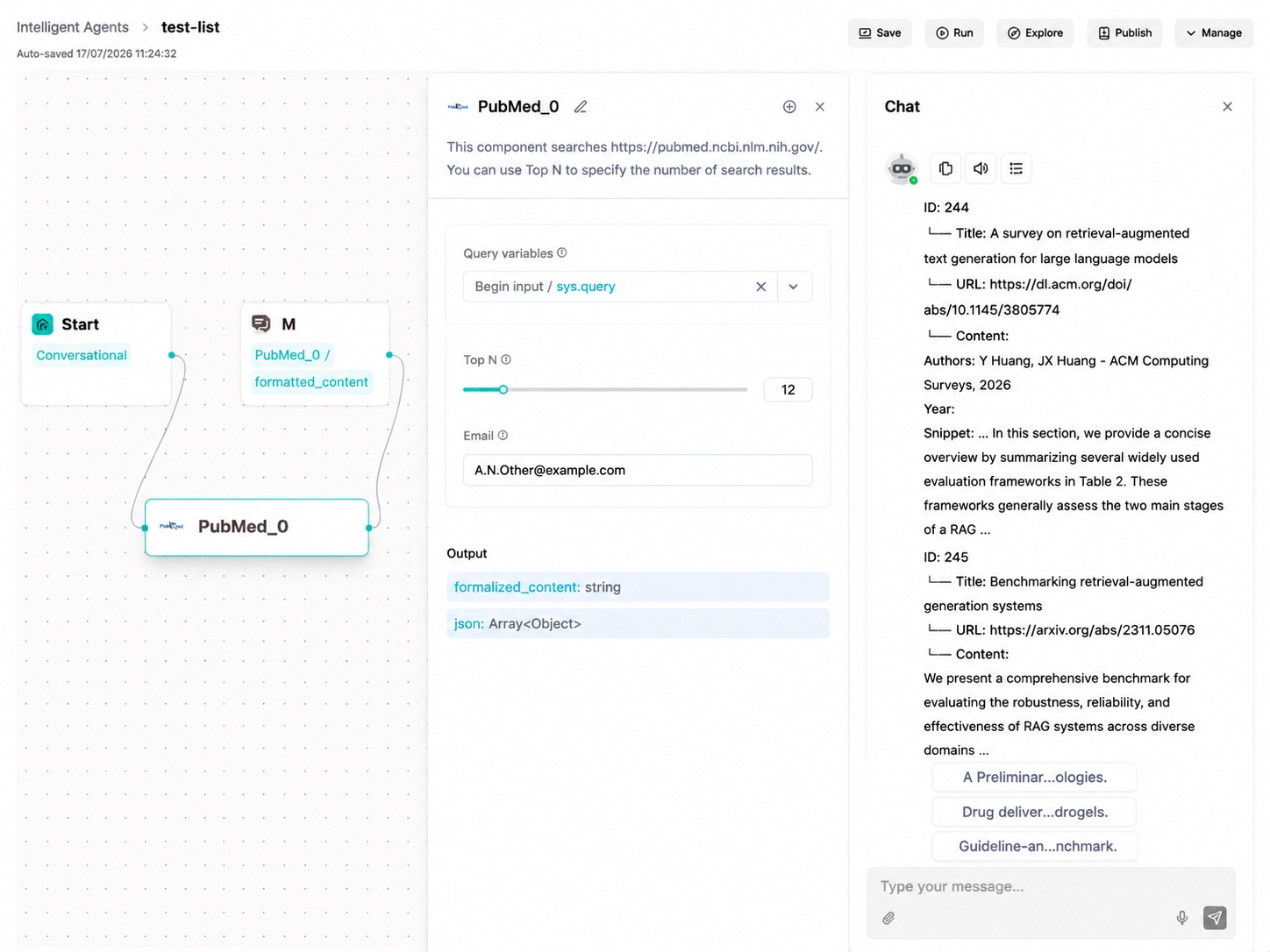
PubMed (PubMed)
PubMed retrieves biomedical and life science literature. It is suitable for medical, pharmaceutical and biological literature searches.
Parameter Description
| Parameter | Type | Required | Default | Description |
|---|---|---|---|---|
query |
string | Yes | {sys.query} |
Biomedical literature query. |
top_n |
integer | No | 10 | Maximum number of returned papers. |
Configuration Example
{
  "query": "diabetes treatment guideline"
}
Output Result
The component returns PubMed records, abstracts and publication metadata when available.
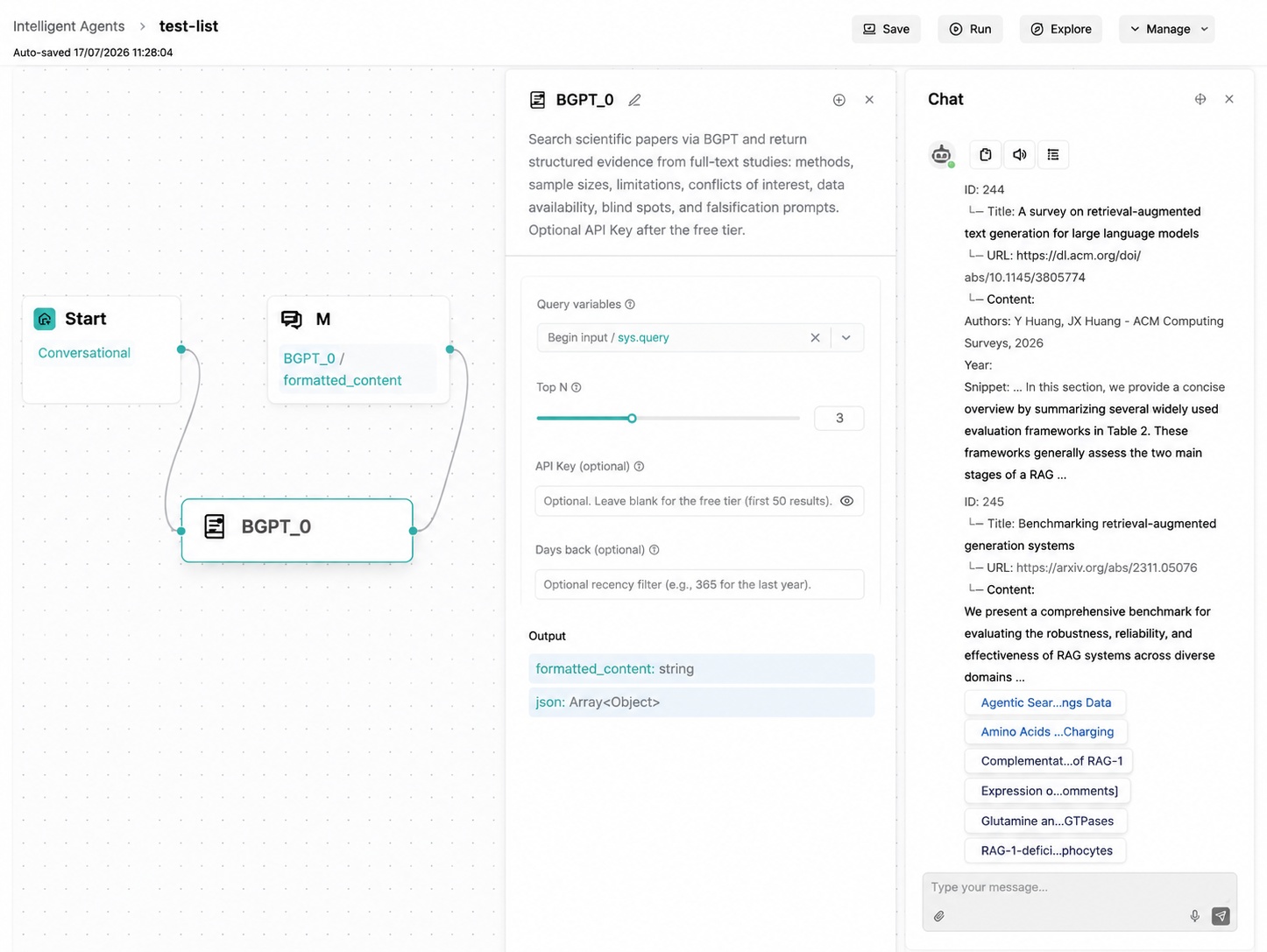
BGPT (BGPT)
BGPT is used for literature or biomedical-related retrieval scenarios supported by the configured BGPT service.
Parameter Description
| Parameter | Type | Required | Default | Description |
|---|---|---|---|---|
query |
string | Yes | {sys.query} |
Query content. |
top_n |
integer | No | 10 | Maximum number of returned results. |
Configuration Example
{
  "query": "gene therapy review"
}
Output Result
The component returns retrieval results from the BGPT service for downstream reference.
Data and Financial Queries
Execute SQL (ExeSQL)
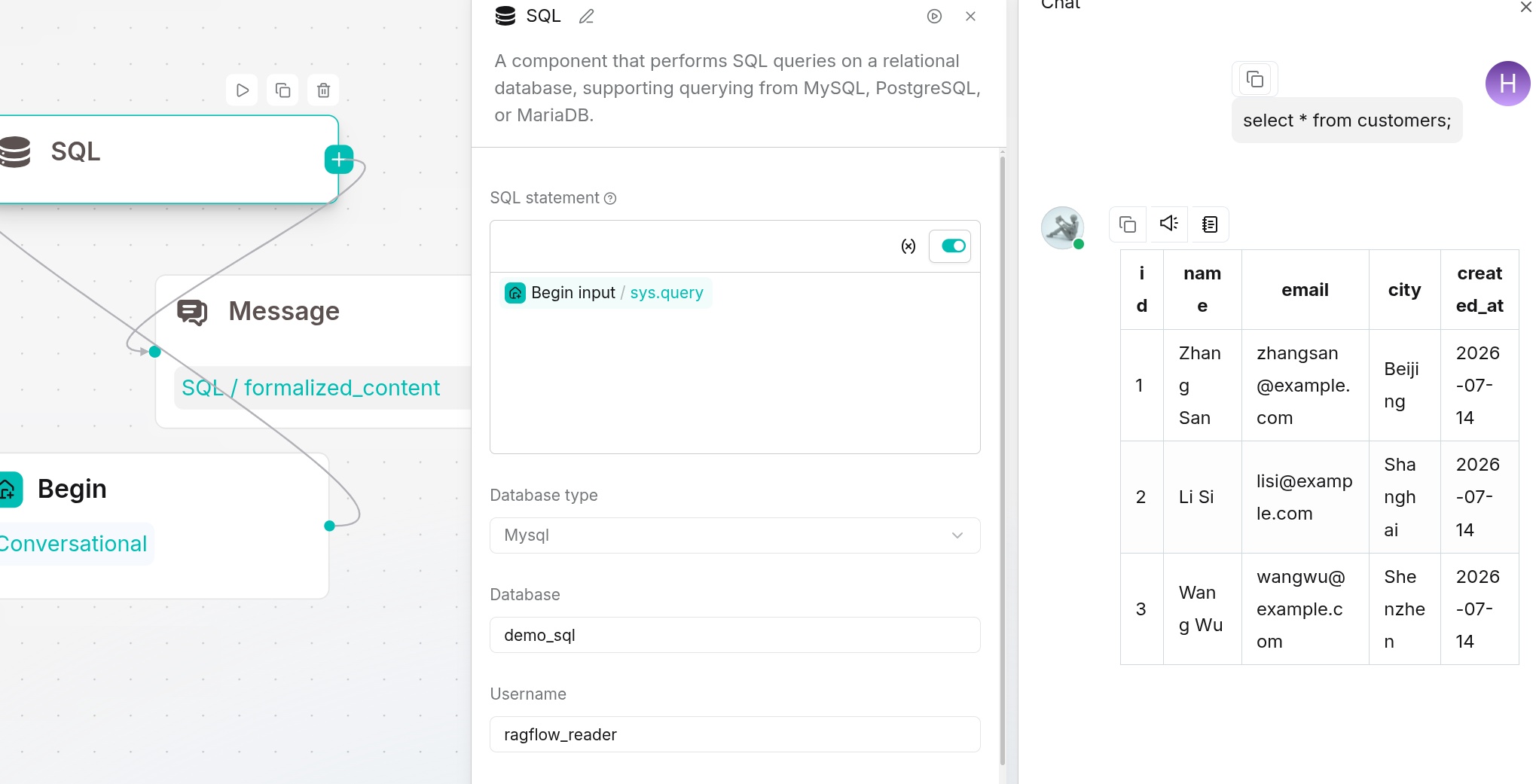
Execute SQL runs SQL queries against configured databases. It is suitable for structured data query, report generation and business data analysis.
Parameter Description
| Parameter | Type | Required | Default | Description |
|---|---|---|---|---|
query |
string | Yes | Empty | SQL statement or natural-language query converted into SQL by the workflow. |
db_type |
string | No | Empty | Database type. |
database |
string | No | Empty | Target database or connection name. |
Supported Values
Supported database types depend on the current deployment and configured connections.
Configuration Example
{
  "query": "select count(*) from orders"
}
Output Result
The component returns query results, error information or structured rows for downstream components.
Yahoo Finance (YahooFinance)
Yahoo Finance queries market and financial information. It is suitable for stocks, funds, indexes and other market data supported by the service.
Parameter Description
| Parameter | Type | Required | Default | Description |
|---|---|---|---|---|
ticker |
string | Yes | Empty | Stock, fund or index symbol. |
query |
string | No | {sys.query} |
Natural-language financial query. |
top_n |
integer | No | 10 | Maximum number of returned results. |
Supported Values
Symbols and markets depend on Yahoo Finance data availability.
Configuration Example
{
  "ticker": "AAPL"
}
Output Result
The component returns financial data, market summaries or related metadata.
WenCai (WenCai)
WenCai performs financial data screening through natural-language conditions, covering stocks, indexes, funds, Hong Kong stocks, U.S. stocks, futures and other query types.
Parameter Description
| Parameter | Type | Required | Default | Description |
|---|---|---|---|---|
query |
string | Yes | {sys.query} |
Stock selection or financial condition, such as "A-shares with P/E ratio below 20". |
top_n |
integer | No | 10 | Maximum number of results. |
query_type |
string | No | stock |
Query type. |
Supported Query Types
stock, zhishu, fund, hkstock, usstock, threeboard, conbond, insurance, futures, lccp, foreign_exchange.
Configuration Example
{
  "query": "A-shares with P/E ratio below 20 and net profit growth above 20%"
}
Output Result
The component returns matched financial instruments and related fields. In some versions, the runtime may return an empty report if the actual WenCai call is disabled.
Communication and External Systems
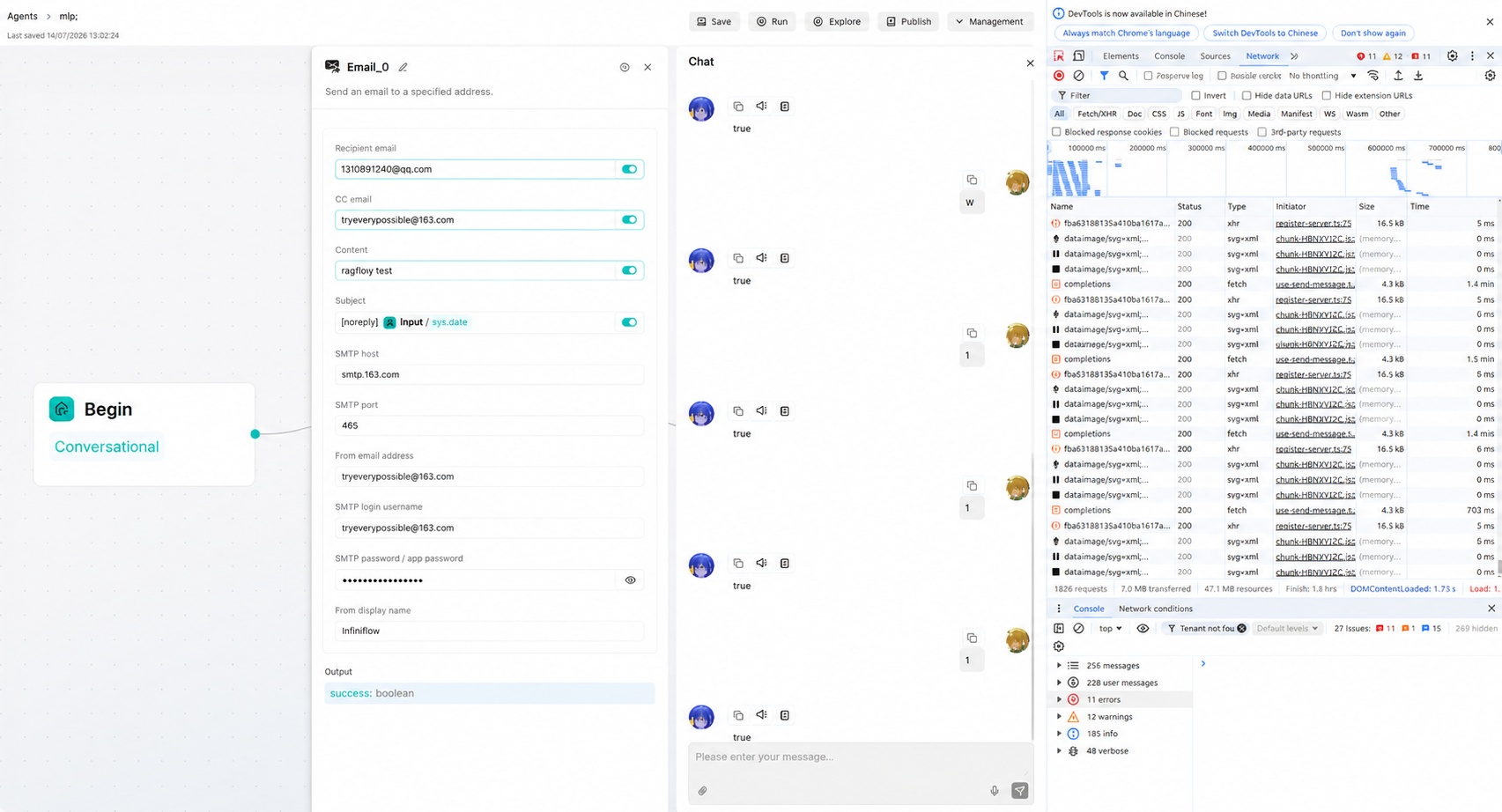
The Email component sends emails through configured mail service parameters. It is suitable for notification, approval, report delivery and workflow result distribution.
Parameter Description
| Parameter | Type | Required | Default | Description |
|---|---|---|---|---|
to |
string/list | Yes | Empty | Recipient address or addresses. |
subject |
string | Yes | Empty | Email subject. |
content |
string | Yes | Empty | Email body. |
attachments |
array | No | Empty | Attachment variables or file references. |
Configuration Example
{
  "to": "user@example.com",
  "subject": "Workflow result",
  "content": "Please check the generated result."
}
Output Result
The component returns send status and error information when sending fails.
HTTP Request (Invoke)
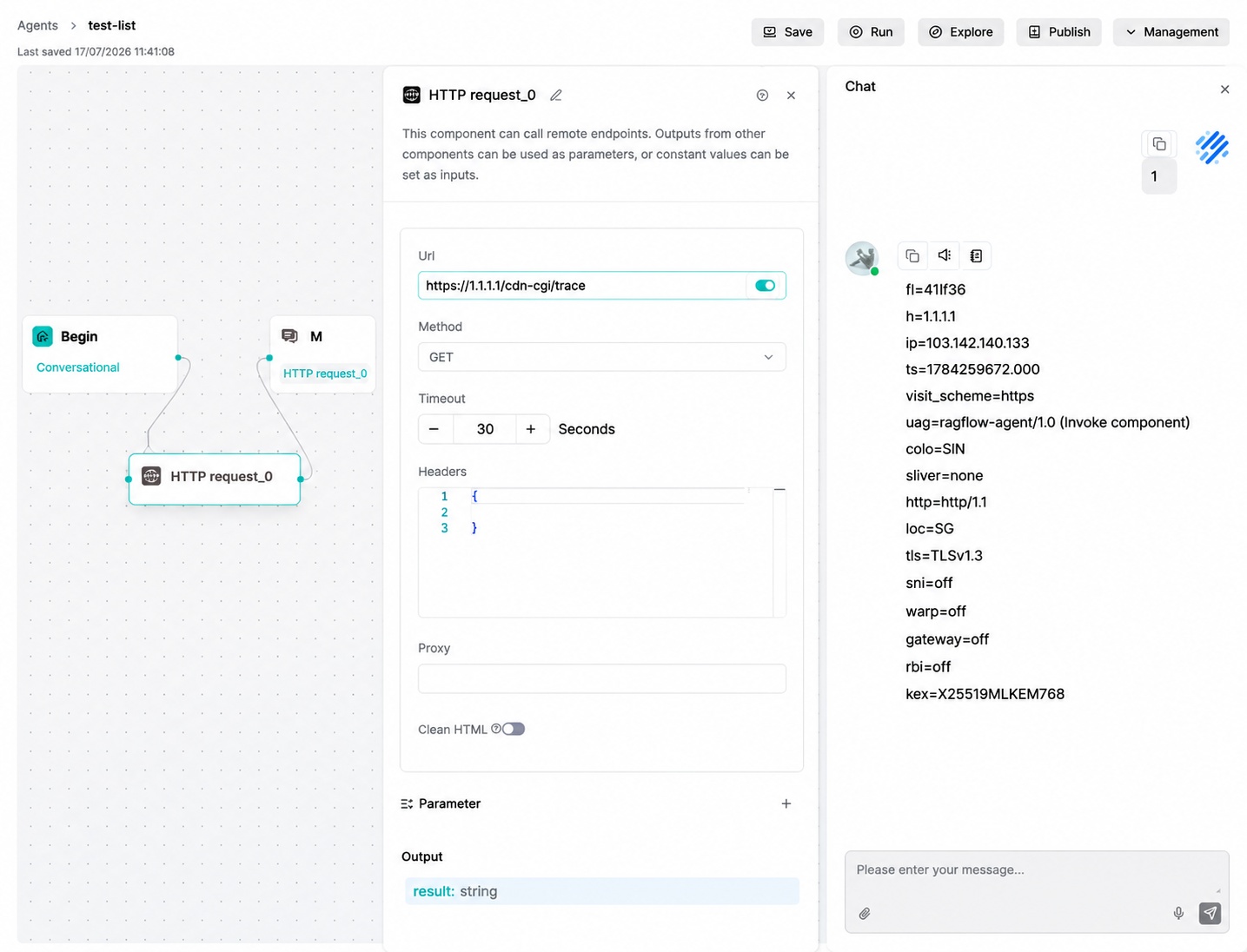
HTTP Request calls external HTTP interfaces. It is suitable for querying order status, writing work orders, triggering third-party services and integrating business systems.
Parameter Description
| Parameter | Type | Required | Default | Description |
|---|---|---|---|---|
url |
string | Yes | Empty | Request URL. |
method |
string | No | GET |
HTTP method. |
headers |
string/object | No | {} |
Request headers. |
variables |
array | No | Empty | Variables passed into the request. |
timeout |
integer | No | 60 | Request timeout in seconds. |
proxy |
string | No | Empty | Optional HTTP/HTTPS proxy address. |
clean_html |
boolean | No | false |
Whether to clean HTML tags from the response. |
datatype |
string | No | json |
Python request body type: json or formdata. |
body |
string | No | Empty | Raw request body supported by the Go runtime. |
content_type |
string | No | Empty | Content-Type in the Go runtime; POST/PUT defaults to application/json. |
Supported Values
method:GET,POST,PUT,DELETE,PATCHdatatype:json,formdata
Configuration Example
{
  "url": "https://1.1.1.1/cdn-cgi/trace",
  "method": "GET",
  "timeout": 30,
  "headers": "{}",
  "proxy": "",
  "clean_html": false,
  "datatype": "json",
  "variables": []
}
Output Result
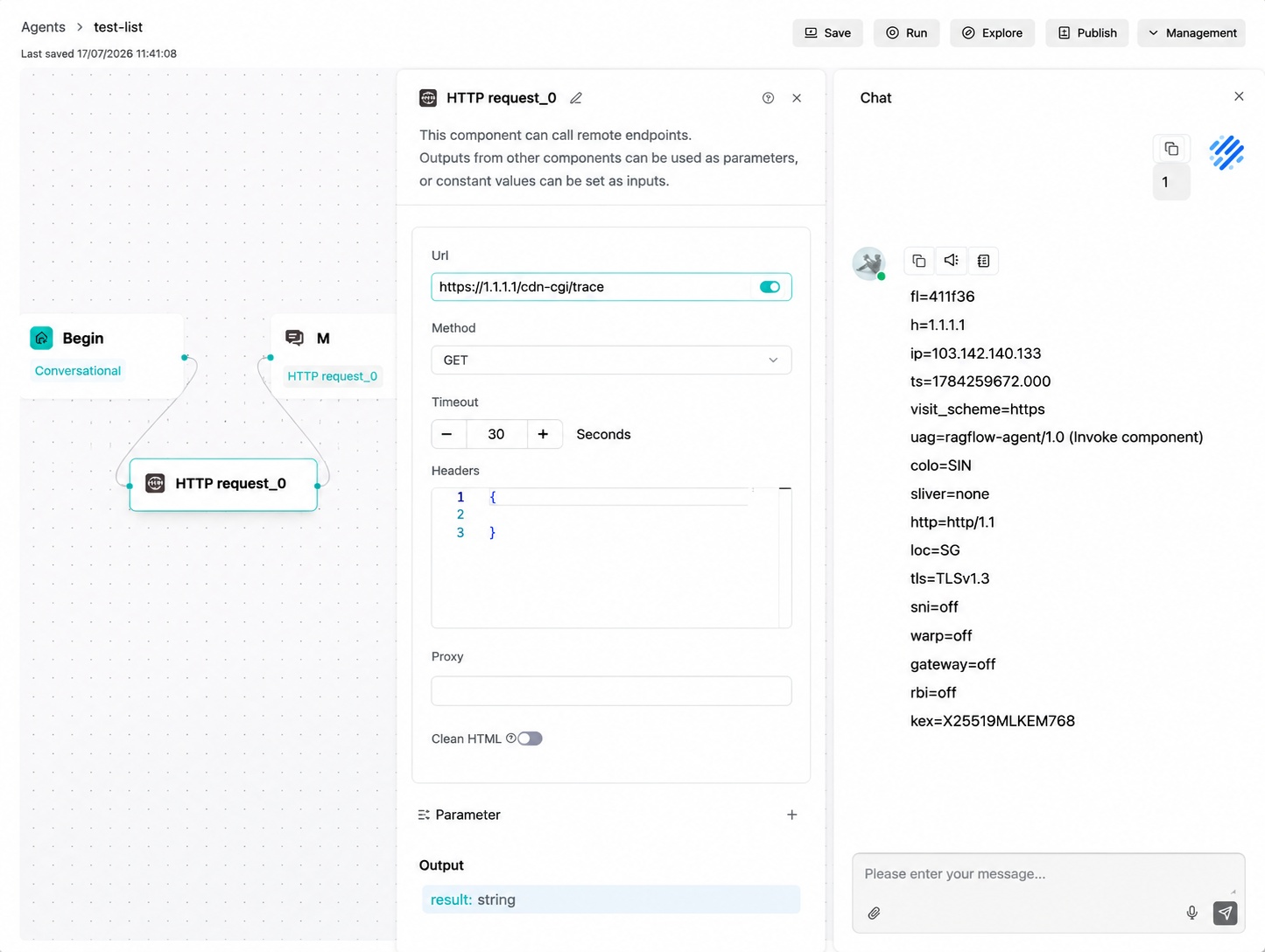
The component returns HTTP response content, status information and error details for downstream processing.
Content Generation and Automation
Document Generator (DocGenerator)
Document Generator creates documents from workflow inputs and templates. It is suitable for reports, contracts, summaries and structured document output.
Parameter Description
| Parameter | Type | Required | Default | Description |
|---|---|---|---|---|
content |
string | Yes | Empty | Document content or template-filled content. |
output_format |
string | No | Empty | Output file format. |
filename |
string | No | Empty | Generated file name. |
Supported Values
Supported output formats depend on the current deployment and component configuration.
Configuration Example
{
  "content": "Generate a weekly report based on the workflow result.",
  "output_format": "docx",
  "filename": "weekly_report"
}
Output Result
The component returns generated file information and downloadable output variables.
Browser (Browser)
Browser performs browser-based automation tasks. It is suitable for opening pages, collecting page information and executing browser workflows that require visual interaction.
Parameter Description
| Parameter | Type | Required | Default | Description |
|---|---|---|---|---|
task |
string | Yes | Empty | Browser automation task description. |
url |
string | No | Empty | Initial page URL. |
timeout |
integer | No | Empty | Task timeout. |
Supported Values
Supported browser actions depend on the current deployment and browser automation capability.
Configuration Example
{
  "url": "https://example.com",
  "task": "Open the page and extract the main content."
}
Output Result
The component returns browser execution results, extracted content or error information.