3.3 KiB
sidebar_position, slug, sidebar_custom_props
| sidebar_position | slug | sidebar_custom_props | ||
|---|---|---|---|---|
| 2 | /flow_control_components |
|
Flow Control Components
Await Response Component
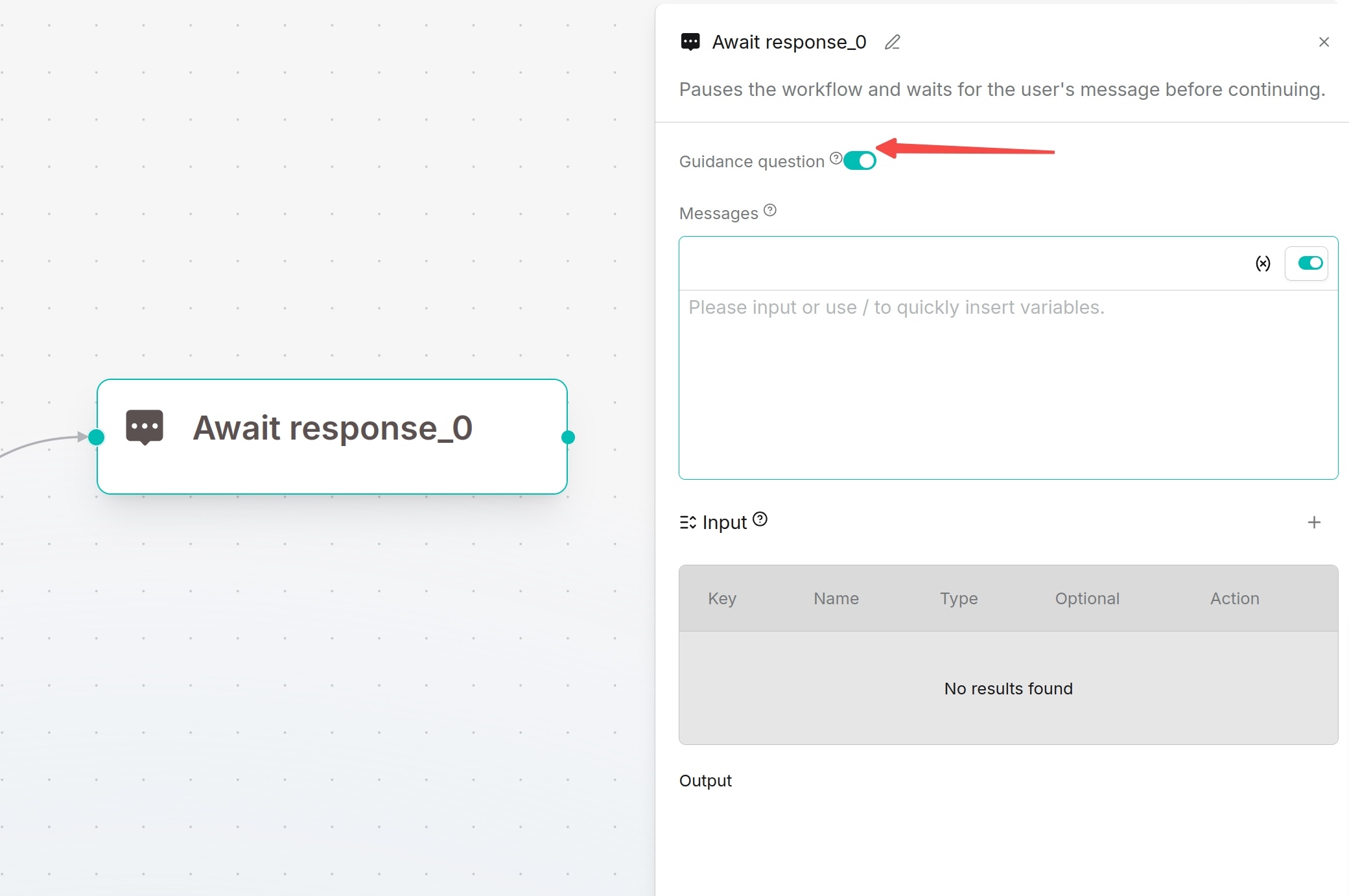
Await Response pauses the workflow and waits for users to supplement information. Suitable for multi-turn dialogue, form collection, confirmation operations or file upload requirements.
Configuration: Define prompt messages to guide users. Input supports the same variable types as Begin: single-line text, paragraph text, dropdown options, file upload, number and boolean.
Recommendations:
- Dropdown options: Select business categories
- Paragraph text: Collect detailed requirement descriptions
- File upload: Receive contracts, reports or screenshots
- Boolean: Confirm continue/cancel operations
Switch (Conditional) Component
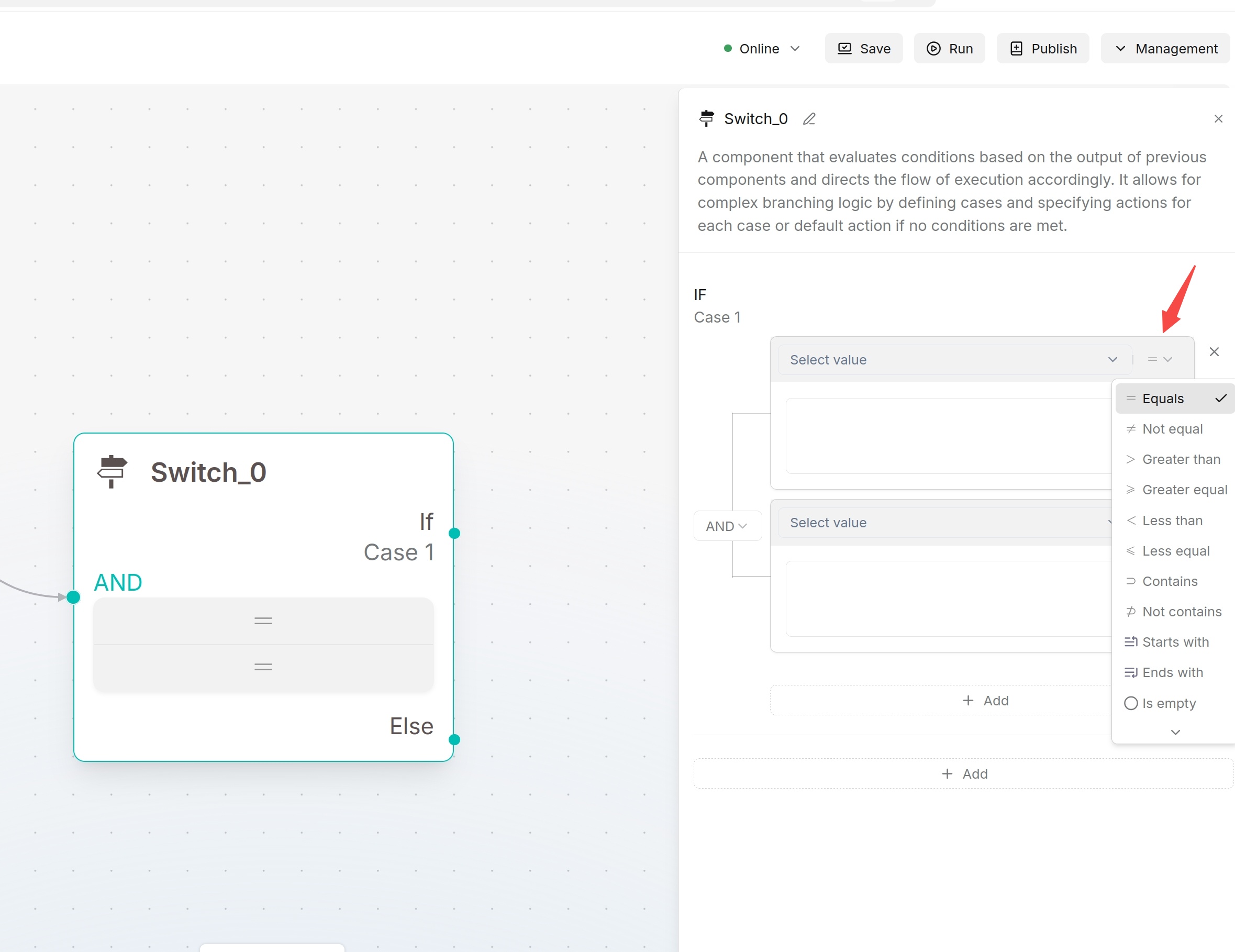
Switch executes rule-based judgment and routes workflows to different downstream paths according to results.
Configuration: At least one Case must be defined. Each Case can contain multiple conditions combined by AND / OR. Supported operators: Equals, Not equal, Greater than, Greater equal, Less than, Less equal, Contains, Not contains, Starts with, Ends with, Is empty, Not empty.
:::tip NOTE Switch is rule-based judgment for structured data and clear conditions. Categorize uses LLM-based classification for natural language intent recognition. :::
Iteration Component
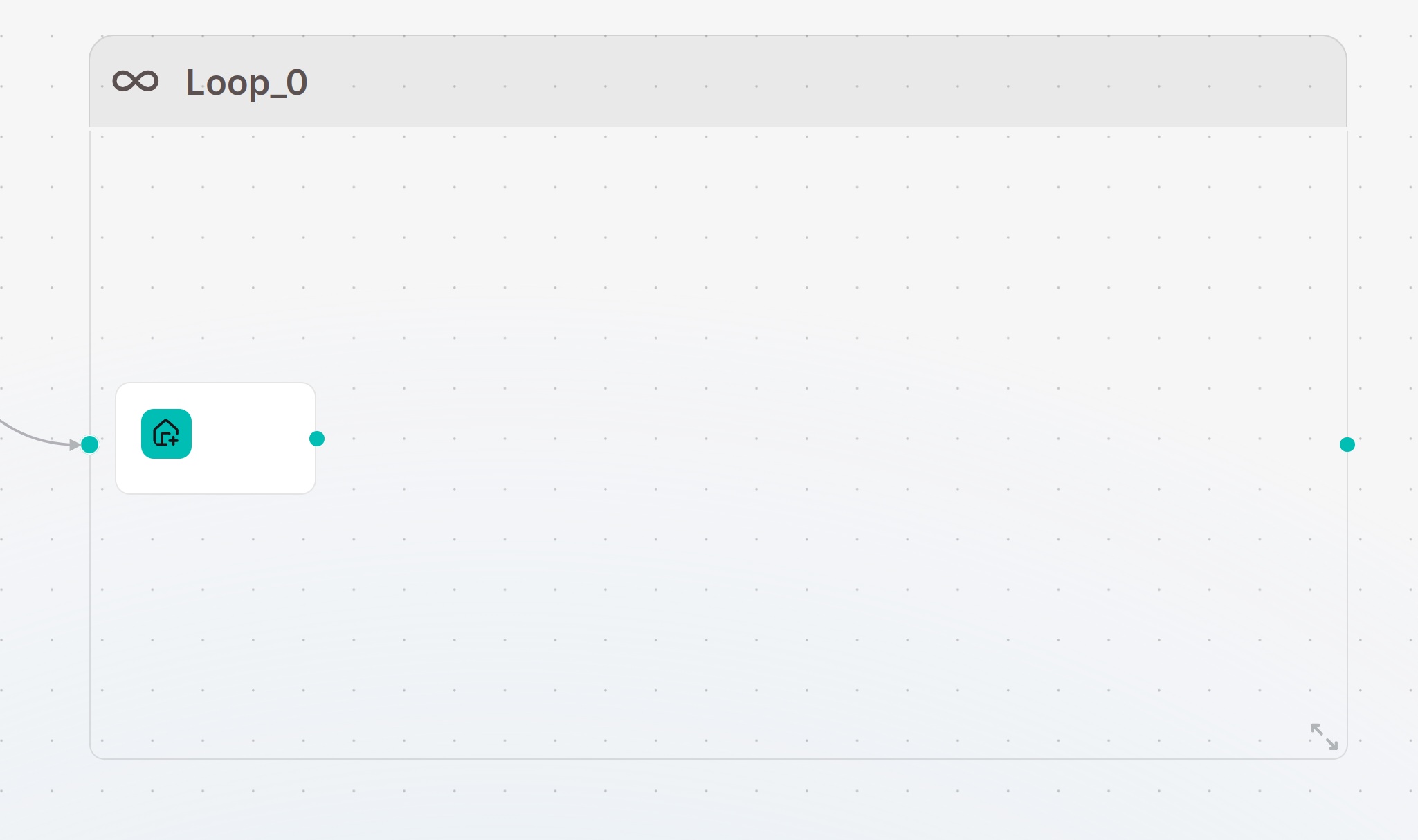
Iteration splits text into fragments and executes the same set of internal components for each fragment. Suitable for long-text translation, paragraph-wise summarization, batch generation and item-by-item list processing.
Internal Workflow:
Iteration contains built-in Loop Item. Components dragged inside Iteration can only be accessed within the loop. Reference Loop Item to obtain current fragment data.
Configuration Parameters:
- Loop variables: Variables used during iteration; support read and update inside the loop
- Loop termination condition: Exit condition to stop iteration
- Maximum loop count: Prevent infinite iteration
:::tip NOTE Configure both termination condition and maximum loop count to avoid long-running infinite loops. :::
Categorize Component
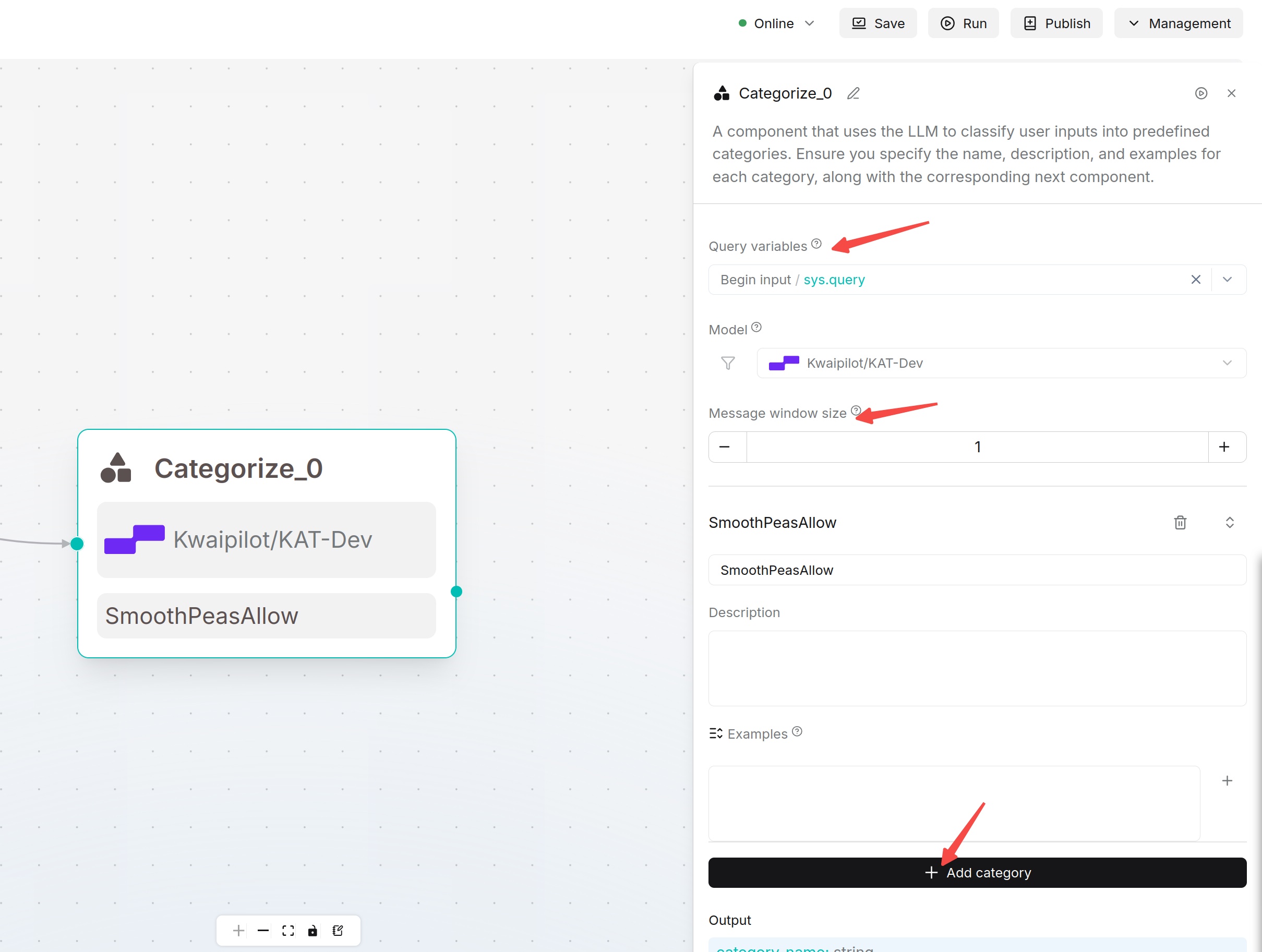
Categorize uses LLM to judge user intent or input category and branch the workflow based on classification results.
Configuration Steps:
- Select content to classify in Query variable / Input.
- Select model and Creativity.
- Configure message window size (keep default for single-turn classification).
- Add at least two Categories.
- Fill clear Name, Description and Examples for each category.
- Connect downstream components for each classification result on the canvas.
Classification Recommendations: Use easy-to-understand category names, e.g. Product Consultation, Installation Reservation, After-sales Fault, Other Questions. Examples improve classification stability; provide 2~3 typical samples for each category.