mirror of
https://github.com/infiniflow/ragflow.git
synced 2026-08-03 06:17:29 +08:00
 611e0596f6
### Summary

modify docs display
add some images
delete enterprise docs
standardize capitalization
1.9 KiB
1.9 KiB
sidebar_position, title, sidebar_label, slug, sidebar_custom_props
| sidebar_position | title | sidebar_label | slug | sidebar_custom_props | ||
|---|---|---|---|---|---|---|
| 2 | Use Variables | Use Variables | /use_variables |
|
Use Variables
Components on the Agent canvas support variable references to implement data transmission between components. Variable sources include system variables, global variables defined in the Begin component, and outputs from upstream components.
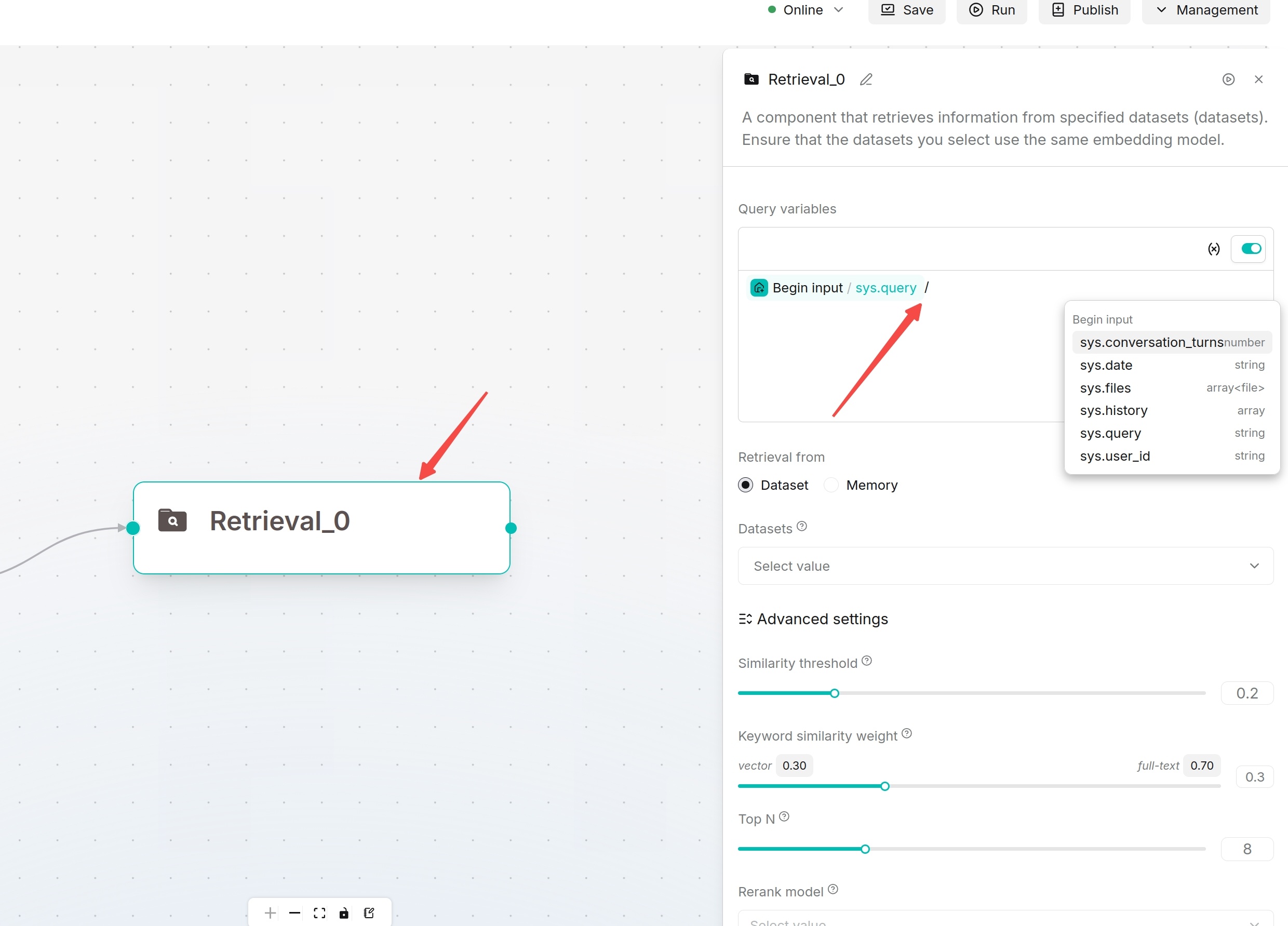
In input boxes supporting variable references, type / or click the variable button next to the input box to open the variable selector.
Common variables:
| Variable | Description |
|---|---|
sys.query |
Current user input question |
formalized_content |
Sorted text results from Retrieval, SQL or tool components |
chunks |
Fragment set output by document parsing or chunking components |
content |
Main text output from Agent, Code or other components |
Operation Steps:
- Enter the Agent page and open the target canvas for editing.
- Select a component supporting variable references, e.g. Agent, Retrieval, Message, Code, HTTP Request, SQL.
- On the right configuration panel, click the input box that needs variable reference, such as System Prompt, User Prompt, Query, etc.
- Open the variable selector via either method:
- Type
/inside the input box - Click the variable icon next to the input box (may display as
{},+or other icons in different versions)
- Type
- Select required variables in the selector. Available variables include:
- System variables such as
sys.query - Global variables defined in the Begin component
- Output variables from upstream components
- System variables such as
- After selection, the variable will be automatically inserted into the input box.
- Save component configuration and run the Agent to verify data transmission.