mirror of
https://github.com/infiniflow/ragflow.git
synced 2026-08-16 13:36:14 +08:00
 1097cc9c84
add chat channel images
add compilation docs
fixed incorrect section organization of agent docs
fixed duplicate text issues.
1.1 KiB
1.1 KiB
sidebar_position, title, sidebar_label, slug, sidebar_custom_props
| sidebar_position | title | sidebar_label | slug | sidebar_custom_props | ||
|---|---|---|---|---|---|---|
| 4 | Import and Export Agents | Import and Export Agents | /import_and_export_agents |
|
Import and Export Agents
Import Agent
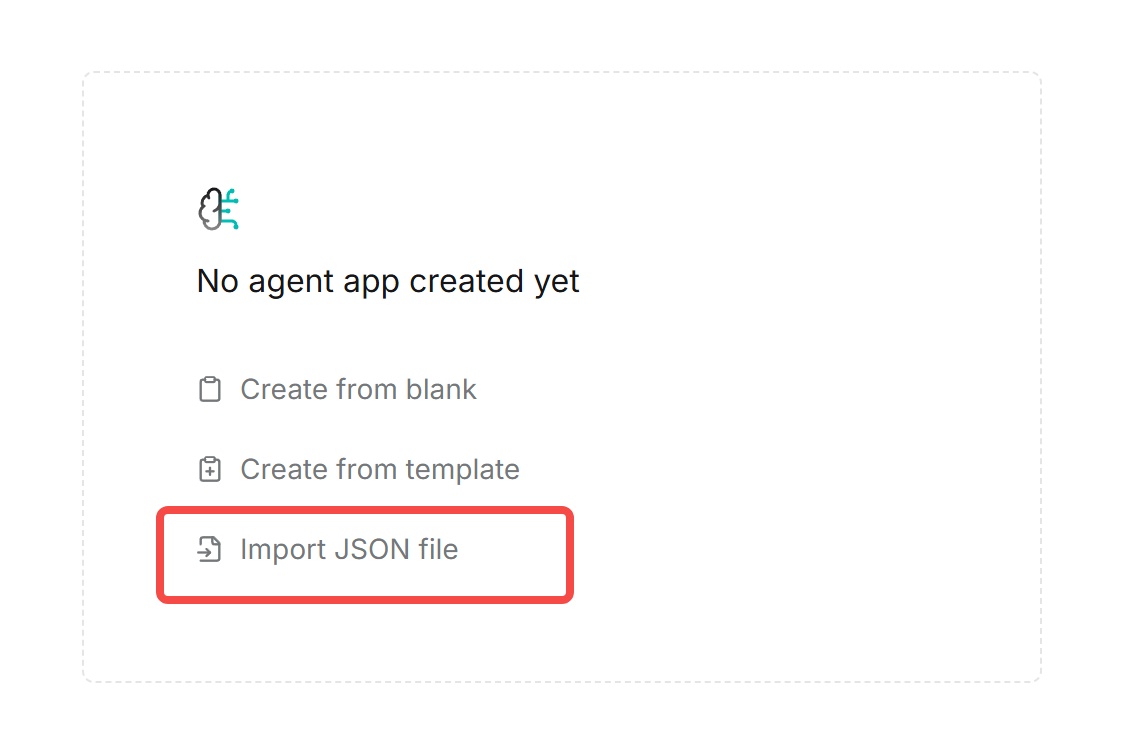
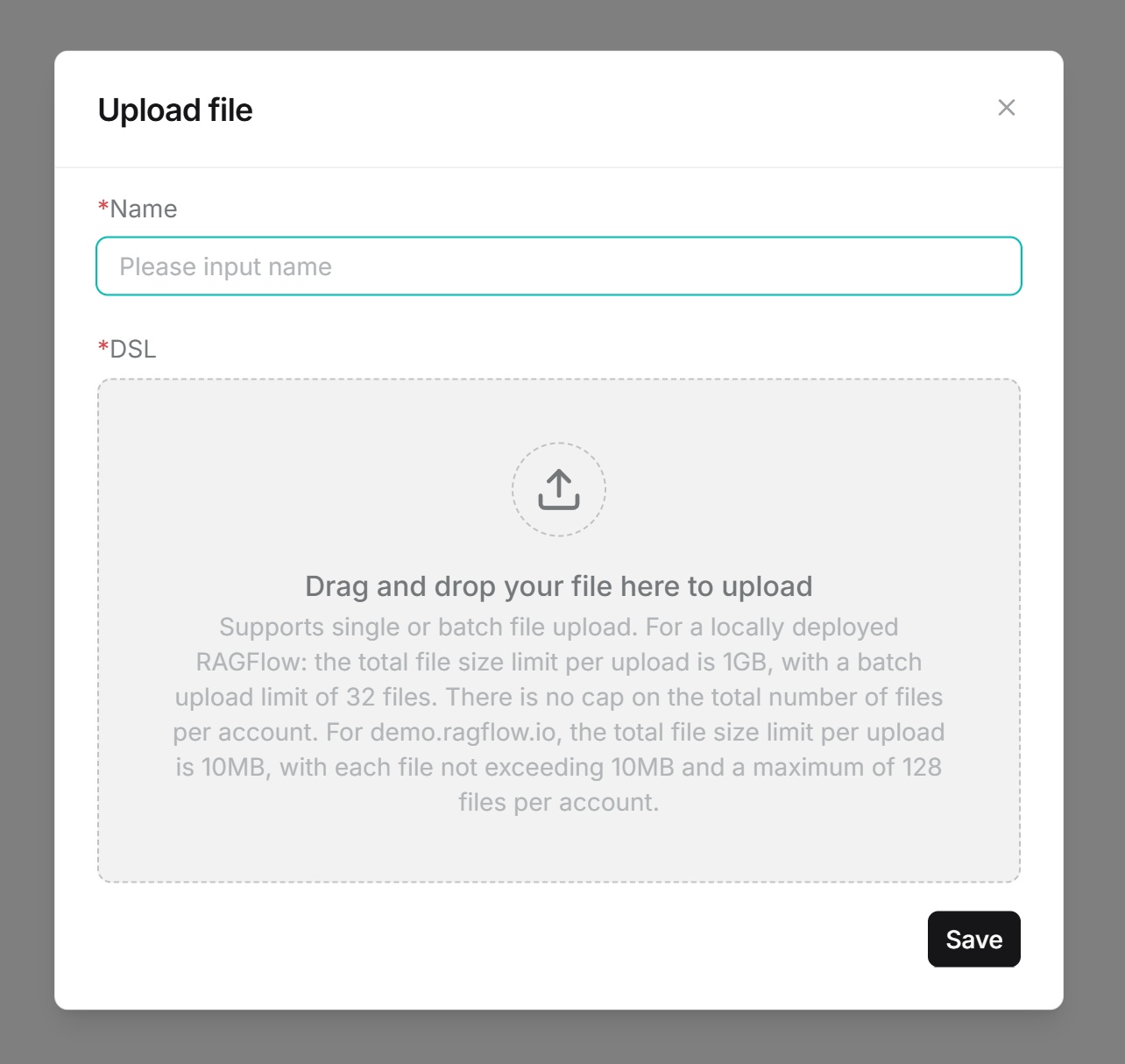
- First-time import: Upload the JSON file, fill in corresponding information, drag or click to upload the file, then save.
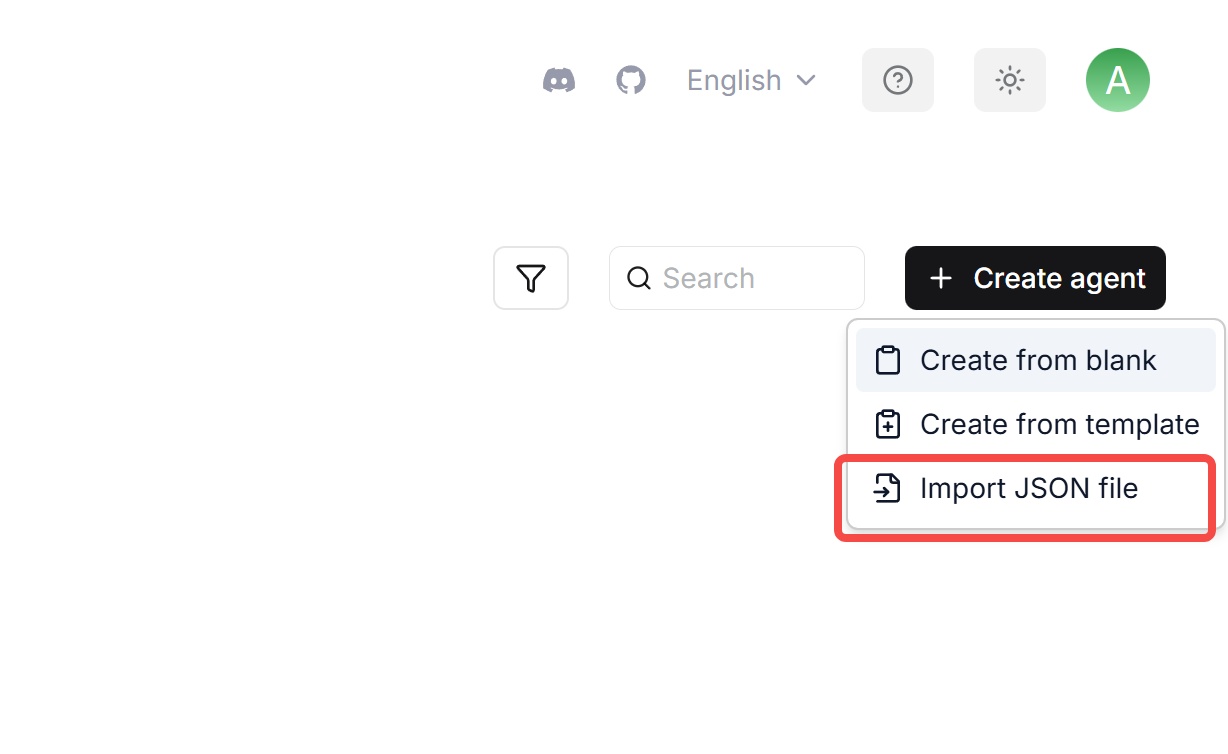
- Non-first-time import: Upload the JSON file, fill in corresponding information, drag or click to upload the file, then save.
Export Agent
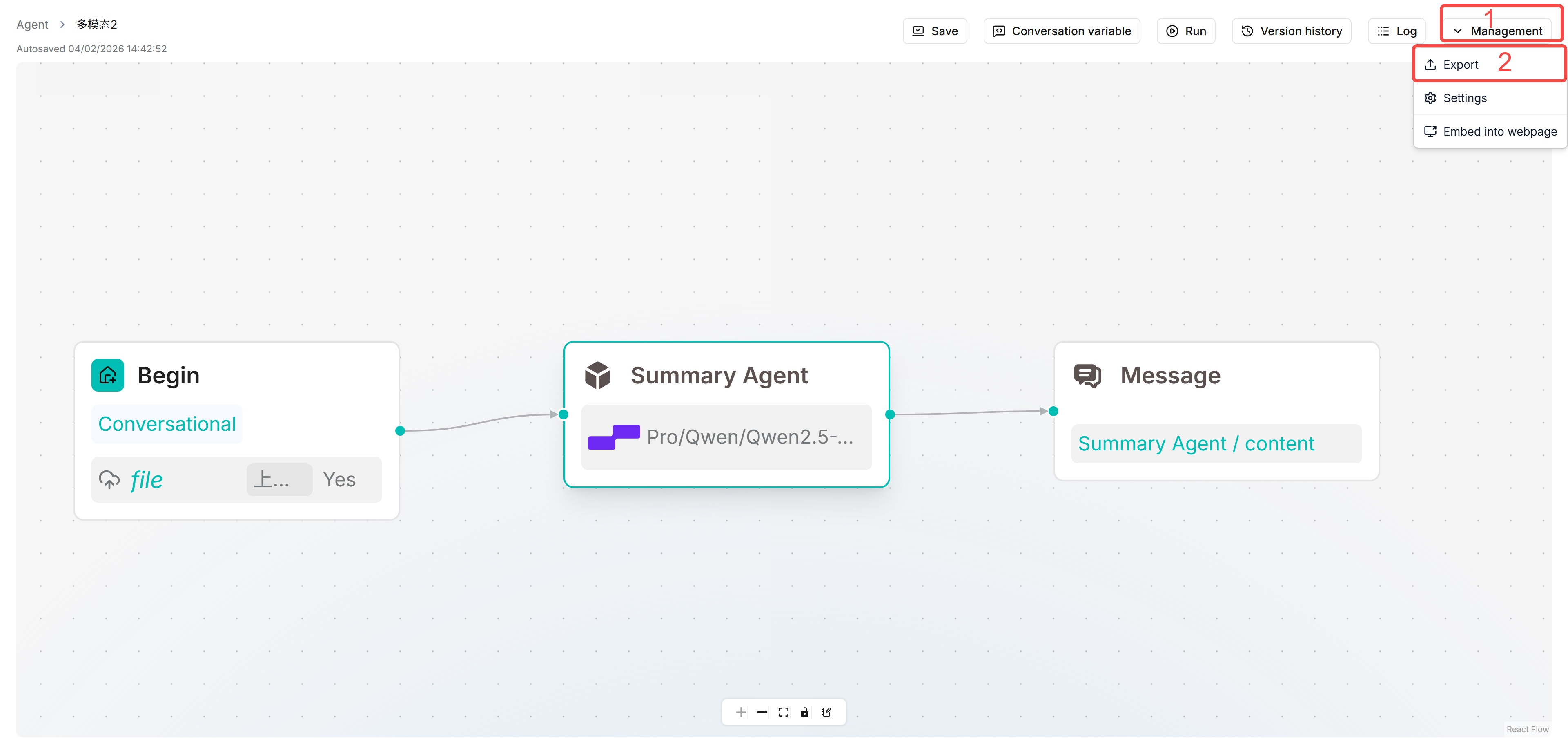
Open an Agent, click Manage in the upper right corner, then click export.