 Andrew Khadder
33e30cb8e3
Andrew Khadder
33e30cb8e3
* fix(cli): report success from mcp-use typecheck (#2099)

`tsc --noEmit` prints nothing on a clean project, so `mcp-use typecheck`
exited 0 with no output at all, which is indistinguishable from the
command hanging or silently failing.

Print `[mcp-use] no type errors (<duration>ms)` on exit code 0, matching
the existing `[mcp-use] built ... (<duration>ms)` line from `build`.
Failing runs are untouched and still show only the compiler's own
diagnostics.

Closes #2083

* chore: enter canary prerelease mode

* chore(typescript): version packages (canary)

* chore: sync main into canary (#2119)

* chore(release): exit prerelease mode and publish npm README hotfix

Publishes mcp-use 2.0.1 and @mcp-use/inspector 20.0.1 with the repository README included in the mcp-use package tarball.

* chore(release): exit prerelease mode and publish npm README metadata hotfix

Publishes mcp-use 2.0.2 and @mcp-use/inspector 20.0.2 after preparing README metadata before npm publication.

* chore(release): exit prerelease mode and commit npm package README

Publishes mcp-use 2.0.3 and @mcp-use/inspector 20.0.3 with a committed package-root README.

* chore(release): exit prerelease mode and fix npm README assets

Fix npm README asset and repository links, publish mcp-use 2.0.4, and keep Inspector aligned at 20.0.4.

* Update libraries/typescript/packages/server/README.md

Co-authored-by: cubic-dev-ai[bot] <191113872+cubic-dev-ai[bot]@users.noreply.github.com>
Signed-off-by: Andrew Khadder <54488379+khandrew1@users.noreply.github.com>

* docs: sync migration guide link

---------

Signed-off-by: Andrew Khadder <54488379+khandrew1@users.noreply.github.com>
Co-authored-by: Enrico Toniato <2827496+tonxxd@users.noreply.github.com>
Co-authored-by: cubic-dev-ai[bot] <191113872+cubic-dev-ai[bot]@users.noreply.github.com>

* fix(cli): say whether `start` mounted the inspector (#2100)

* fix(cli): say whether start mounted the inspector

`mcp-use dev` advertises the inspector in its banner, but `mcp-use start`
says nothing about it and `${basePath}/inspector` 404s unless
`--with-inspector` was passed. With no hint, that reads as a broken
production build rather than an opt-in.

Plain `start` now prints that the inspector is not mounted and how to
mount it, and `--with-inspector` prints the URL it was mounted at, which
was previously silent too.

Closes #2084

* fix(cli): drop the inspector-not-mounted line from start

Per review: most people running start do not want the inspector, so
announcing its absence is noise. Plain start is now silent about the
inspector again, and only the --with-inspector path prints its URL.

Updates the spec, the changeset, and swaps the test to pin the silence
instead of the message.

* chore(typescript): version packages (canary)

* chore: upgrade changesets cli to 2.31.1 (#2121)

* fix(ci): pin pnpm in the docs workflow so the job can start (#2116)

The docs job fails in "Set up pnpm" before it generates anything:

  Error: No pnpm version is specified.

pnpm/action-setup@v4 was used with no version:, so it falls back to
reading packageManager from package_json_file, which defaults to the
repository root. This repo has no root package.json, so the step could
never succeed and the check was red on every branch including main.

Pins 11.13.1, matching all nine action-setup uses in ci.yml and the
packageManager field in libraries/typescript/package.json.

* fix(cli): support package-manager dev arg forwarding (#2124)

* fix(cli): support package-manager dev arg forwarding (MCP-2549)

* chore: add MCP-2549 changeset

* fix(cli): normalize forwarded arguments across commands

* chore(typescript): version packages (canary)

* docs: fix TypeScript README links into the removed mcp-use package (#2114)

The v2 merge deleted libraries/typescript/packages/mcp-use, but the
TypeScript README still pointed at it in four places: the three logo
sources at the top of the page, and the documentation link at the bottom.

The logo now uses the absolute raw.githubusercontent.com URL that every
sibling package README already uses, and the docs link points at
packages/server, which is where the mcp-use package lives in v2 and what
the create-mcp-use-app and inspector READMEs already link to.

* fix(create-mcp-use-app): drop stale main field and give templates distinct descriptions (#2085)

* fix(create-mcp-use-app): drop stale main field and give templates distinct descriptions

Two small things in the scaffolded package.json, both visible as soon as
you generate a project.

main pointed at dist/index.js. v2 builds emit .mcp-use/build instead, so
that path never exists and main never resolves. These templates are apps
you run with mcp-use start, not packages anyone imports, and .mcp-use is
gitignored build output, so the field is dropped rather than repointed.

All three templates also carried the description 'an mcp-use server'.
--list-templates reads that field, so the three were indistinguishable
from the CLI, and every generated project inherited the same string.
Each now says what it actually gives you.

Closes #2080
Closes #2081

* chore: add changeset for the template package.json fixes

* fix(create-mcp-use-app): stop discarding the template description

updatePackageJson overwrote description with a generic
"<name>: an mcp-use server" on every scaffold, so the per-template
descriptions only ever reached --list-templates and never the generated
project. It now fills that in only when the template has no description
of its own, which keeps the previous behaviour for templates without one.

* chore(typescript): version packages (canary)

* fix(client): stop leaking parent env to stdio servers (#2125)

Port the security fix from #1949 to the v2 client package and verify the child process receives only safe defaults plus explicitly configured variables.

Co-authored-by: VihaanAgarwal <72850668+VihaanAgarwal@users.noreply.github.com>

* chore(typescript): version packages (canary)

* fix(client): bound conformance auth scenarios (#2126)

* fix(client): make stdio errlog actually receive the child's stderr (#2086)

* fix(client): make stdio errlog actually receive the child's stderr

StdioConnectionManager takes an errlog stream and documents that the
child server's stderr is piped to it, but the transport was created
without stderr: "pipe". The SDK defaults to "inherit", which leaves
transport.stderr null, so the forwarding block guarding on it never
ran and the child's stderr always went to the parent instead.

Spawn with stderr: "pipe" by default, spread so an explicit mode in
server params still wins. Tests spawn real child processes: one checks
a custom errlog receives the output, one checks stderr: "ignore" still
opts out.

* chore: drop stray version.ts that does not belong on beta

Left over from a main checkout; packages/mcp-use does not exist on this
branch.

* fix(client): expose stderr mode on the public stdio APIs

Per review, the compatibility escape hatch only worked for callers that
built StdioConnectionManager directly. StdioConnector did not accept or
forward stderr and StdioServerConfig did not expose it, so users of the
normal public APIs could not opt back into inherited stderr.

- Add a StdioStderrMode of "pipe" | "inherit" | "ignore", default "pipe".
- Accept it on StdioConnector and StdioServerConfig, forward it into
  StdioServerParameters, and thread it through the config path.
- Apply the default after the spread so an explicit stderr: undefined no
  longer defeats it.
- Only forward transport.stderr when the mode leaves a readable stream.
- Pipe with { end: false } and unpipe on close, since errlog is
  caller-owned and may be reused across reconnects.
- Handle stream errors instead of letting a destroyed errlog surface as
  an unhandled 'error' event.

Tests now start the transport before asserting, so the non-pipe cases are
exercised against a real child instead of passing by construction.

* fix(client): handle errlog write errors

---------

Co-authored-by: Andrew Khadder <andrew@manufact.com>

* chore(typescript): version packages (canary)

* fix(inspector): block loopback proxy targets by default (#2134)

mountInspector defaulted oauthProxyAllowLoopback to true, and the standalone
CLI hardcoded it — including in the published Docker image, which runs the
CLI with NODE_ENV=production on a public port. A publicly reachable inspector
could therefore proxy requests to the host's loopback services (SSRF), while
RFC1918/metadata targets were already blocked.

- mountInspector: default allowLoopback to false; local dev tooling opts in
- CLI: allow loopback unless NODE_ENV=production; INSPECTOR_ALLOW_LOOPBACK
  overrides either way
- Express-adapter test opts in explicitly (it proxies to its own 127.0.0.1
  echo server); new regression test covers the default and the opt-in

* chore(typescript): version packages (canary)

* docs: add v2 changelog updates

* chore: remove retired beta release flow (#2141)

* fix: keep prerelease versioning visible to Knip (#2142)

* fix: patch dependency vulnerabilities (#2151)

* fix: patch vulnerable dependencies

* fix: use mcp-use in client demo servers

* chore(typescript): version packages (canary)

---------

Signed-off-by: Andrew Khadder <54488379+khandrew1@users.noreply.github.com>
Co-authored-by: Ayaan Gazali <ayaangazali.work@gmail.com>
Co-authored-by: github-actions[bot] <41898282+github-actions[bot]@users.noreply.github.com>
Co-authored-by: Enrico Toniato <2827496+tonxxd@users.noreply.github.com>
Co-authored-by: cubic-dev-ai[bot] <191113872+cubic-dev-ai[bot]@users.noreply.github.com>
Co-authored-by: VihaanAgarwal <72850668+VihaanAgarwal@users.noreply.github.com>
16 KiB

The TypeScript framework for MCP
Build, test, and ship MCP servers, ChatGPT plugins, Claude connectors
Fully Typed, native Views and MCP Apps support, built-in Inspector and first class Agent experience.
Documentation · Inspector · Examples · Deploy




Note
Migrating from v1? Give it to your agent: Read the migration guide →
Migrate this mcp-use project to v2 following
https://docs.mcp-use.com/v2/typescript/server/migration
Get started
Start with your agent
Build an MCP server: https://mcp-use.com/prompt.md
Start with code
npx -y create-mcp-use-app@latest
Run npm run dev in the generated project · open http://localhost:3000/mcp/inspector
Everything you need to ship MCP
Fully typedZod schemas flow from tools to structured results, View props, and tool calls. |
Native ViewsBind React Views directly to tools and ship interactive apps without custom extension wiring. |
Agent-first and headlessScaffold, invoke, inspect, screenshot, and deploy through your agent. |
Built-in debugging toolsInspect tools and Views in the browser or headlessly through the CLI. |
Quickstart
The scaffold gives you the server, TypeScript configuration, development scripts, Inspector, and a React view pipeline. Start it once and the MCP endpoint also serves a client-ready landing page with its connection URL and setup instructions.
Replace its index.ts with a view-bound tool like this:
|
Add Views to your tools
Create views/weather-card/view.tsx. The directory name matches view.name on the tool:
|
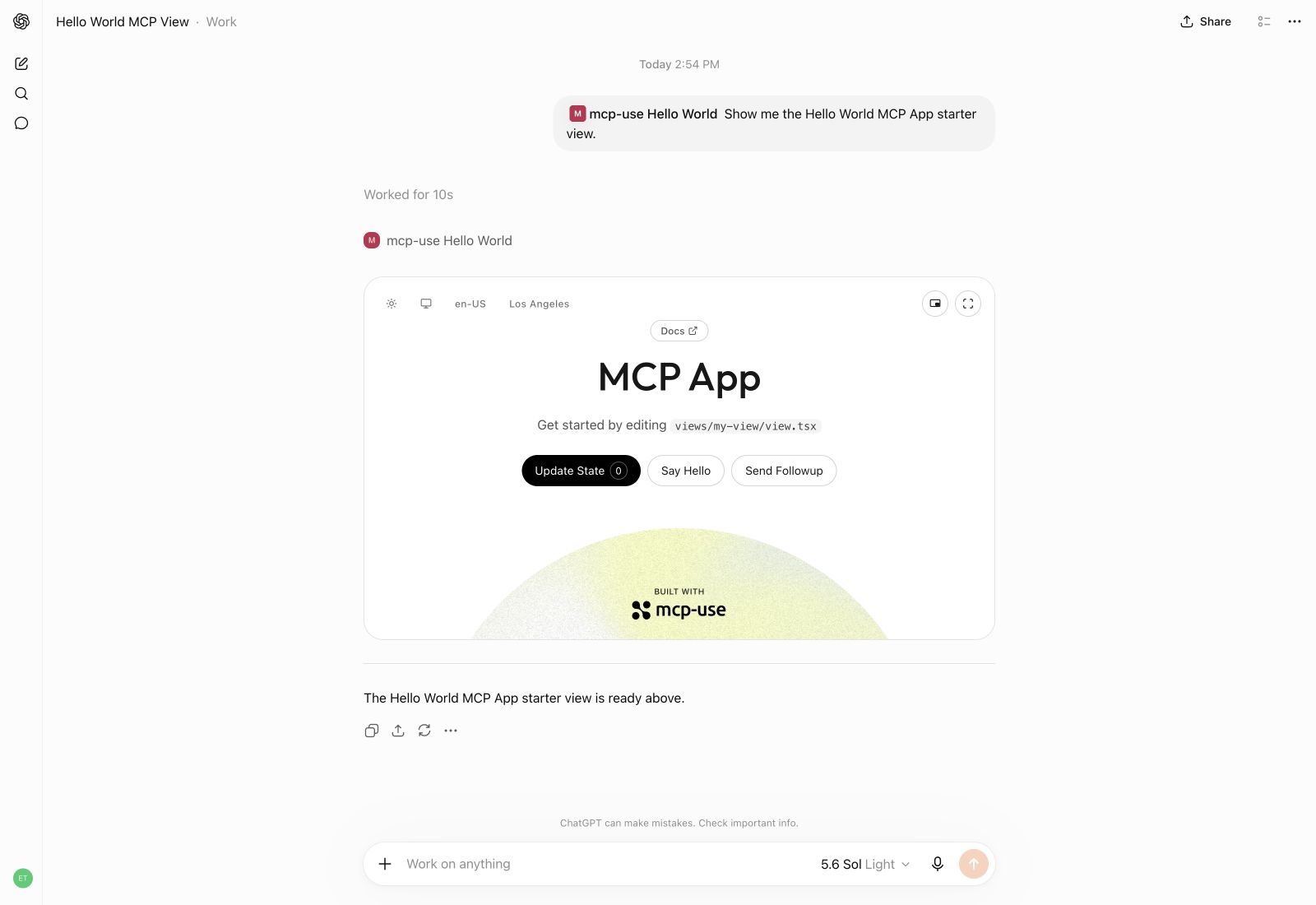
Build interactive UI experiences within ChatGPT with mcp-use.
Build
Create the production build:
npm run build
Inspect
Start development mode to serve the MCP endpoint at http://localhost:3000/mcp. The Inspector is automatically available at http://localhost:3000/mcp/inspector:
npm run dev
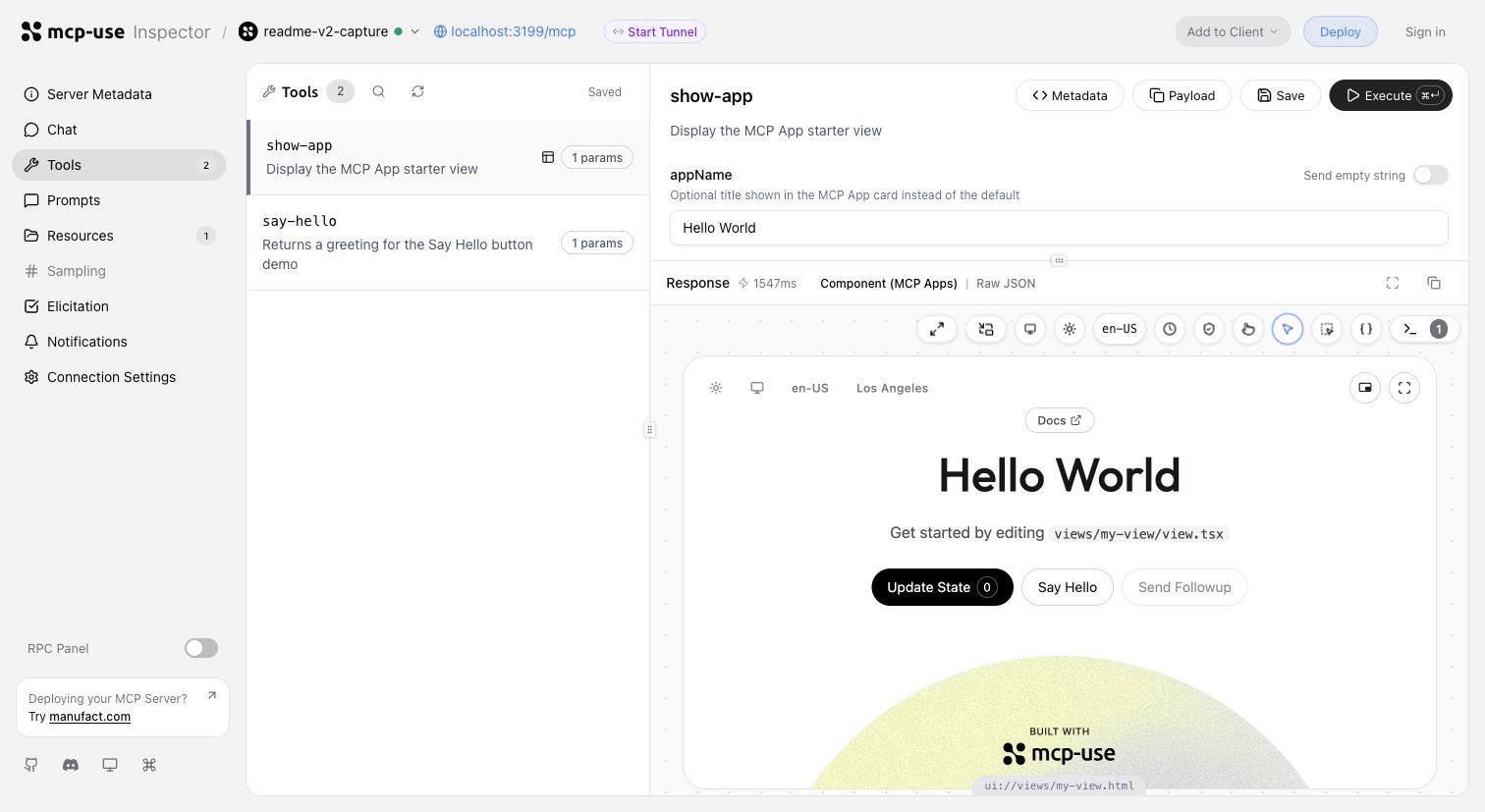
Invoke tools, validate inputs, and inspect interactive Views in the same development loop.
Start a tunnel from the Inspector UI or run mcp-use dev --tunnel to get a public URL for your local MCP server and test it with ChatGPT and Claude before deployment. Learn more about tunneling →
Inspect the same server headlessly from the terminal, invoke representative tools, and capture a View screenshot:
npm install --save-dev @mcp-use/client
npx mcp-use client connect local http://localhost:3000/mcp
npx mcp-use client local tools list
npx mcp-use client local tools call get-weather city=Tokyo
npx mcp-use screenshot \
  --server local \
  --tool get-weather \
  city=Tokyo \
  --output weather-card.png
Deploy
Ship to Manufact and get observability, analytics, evals, submission readiness, and Git-based preview environments for free.
npm run deploy
Prefer to run it yourself? Follow the self-hosting guide →.
How mcp-use compares
mcp-use builds on the official TypeScript SDK v2 and adds first-class Views, typed tool-to-UI contracts, an optimized stateless runtime, the Inspector, screenshot verification, agent-first CLI workflows, and deployment.
block-beta
  columns 7

  metric["Metric"] mcp["mcp-use v2"] fastmcp["FastMCP TS"] official["Official SDK v2*"] xmcp["xmcp"] skybridge["Skybridge"] handler["mcp-handler"]

  speed["Speed"] speedMcp["10,982 ops/s"] speedFast["6,628 ops/s"] speedOfficial["8,050 ops/s"] speedXmcp["6,585 ops/s"] speedSkybridge["8,116 ops/s"] speedHandler["6,324 ops/s"]
  install["MCP App<br/>dev stack"] installMcp["74.4 MiB"] installFast["122.5 MiB"] installOfficial["99.0 MiB"] installXmcp["121.9 MiB"] installSkybridge["137.5 MiB"] installHandler["388.0 MiB"]
  packages["Installed<br/>packages"] packagesMcp["51"] packagesFast["180"] packagesOfficial["119"] packagesXmcp["171"] packagesSkybridge["300"] packagesHandler["130"]
  views["Views"] viewsMcp["✅"] viewsFast["✅"] viewsOfficial["◐ Extension"] viewsXmcp["✅"] viewsSkybridge["✅"] viewsHandler["❌"]
  nativeViews["Native Views<br/>on MCP 2026"] nativeViewsMcp["✅"] nativeViewsFast["✅"] nativeViewsOfficial["❌"] nativeViewsXmcp["❌"] nativeViewsSkybridge["❌"] nativeViewsHandler["❌"]
  oauth["One-line<br/>OAuth adapters"] oauthMcp["✅"] oauthFast["◐ Provider/proxy"] oauthOfficial["◐ Primitives"] oauthXmcp["✅"] oauthSkybridge["✅"] oauthHandler["❌"]
  protocol["MCP 2026<br/>protocol"] protocolMcp["✅"] protocolFast["✅"] protocolOfficial["✅"] protocolXmcp["❌"] protocolSkybridge["❌"] protocolHandler["❌"]
  screenshot["Built-in View<br/>screenshot CLI"] screenshotMcp["✅"] screenshotFast["❌"] screenshotOfficial["❌"] screenshotXmcp["❌"] screenshotSkybridge["❌"] screenshotHandler["❌"]
  tunnel["Built-in<br/>tunneling"] tunnelMcp["✅"] tunnelFast["❌"] tunnelOfficial["❌"] tunnelXmcp["❌"] tunnelSkybridge["✅"] tunnelHandler["❌"]
  inspector["Built-in<br/>Inspector"] inspectorMcp["✅"] inspectorFast["✅"] inspectorOfficial["❌"] inspectorXmcp["❌"] inspectorSkybridge["◐ Limited"] inspectorHandler["❌"]

  classDef metricLabel fill:#6e76811a,font-weight:bold
  classDef brand fill:#2ea04333,stroke:#2da44e,stroke-width:3px,font-weight:bold
  classDef header fill:#6e76811a,font-weight:bold
  classDef value fill:#6e76810f,stroke-width:1px
  classDef leader fill:#2ea0432e,stroke:#2da44e,stroke-width:2px,font-weight:bold
  classDef partial fill:#bb80092e,stroke:#bf8700,stroke-width:2px,font-weight:bold
  classDef unavailable fill:#6e76810f,opacity:0.72

  class metric,speed,install,packages,views,nativeViews,oauth,protocol,screenshot,tunnel,inspector metricLabel
  class mcp brand
  class fastmcp,official,xmcp,skybridge,handler header
  class speedFast,speedOfficial,speedXmcp,speedSkybridge,speedHandler,installFast,installOfficial,installXmcp,installSkybridge,installHandler,packagesFast,packagesOfficial,packagesXmcp,packagesSkybridge,packagesHandler value
  class speedMcp,installMcp,packagesMcp,viewsMcp,viewsFast,viewsXmcp,viewsSkybridge,nativeViewsMcp,nativeViewsFast,oauthMcp,oauthXmcp,oauthSkybridge,protocolMcp,protocolFast,protocolOfficial,screenshotMcp,tunnelMcp,tunnelSkybridge,inspectorMcp,inspectorFast leader
  class oauthFast,viewsOfficial,oauthOfficial,inspectorSkybridge partial
  class viewsHandler,nativeViewsOfficial,nativeViewsXmcp,nativeViewsSkybridge,nativeViewsHandler,oauthHandler,protocolXmcp,protocolSkybridge,protocolHandler,screenshotFast,screenshotOfficial,screenshotXmcp,screenshotSkybridge,screenshotHandler,tunnelFast,tunnelOfficial,tunnelXmcp,tunnelHandler,inspectorOfficial,inspectorXmcp,inspectorHandler unavailable
* Includes @modelcontextprotocol/ext-apps, Vite, and zod for an MCP Apps-capable stack.
Install rows compare custom React MCP App development stacks. FastMCP therefore includes the Apps extension, React, Vite React plugin, Vite, TypeScript, and zod rather than only its narrower server-side component workflow. Size is actual node_modules disk usage after a normal npm install, including required peer dependencies.
Read the detailed benchmark report →
Examples
Remix a complete MCP App, inspect the source, or deploy it as a starting point:
| Preview | App | What it demonstrates |
|---|---|---|
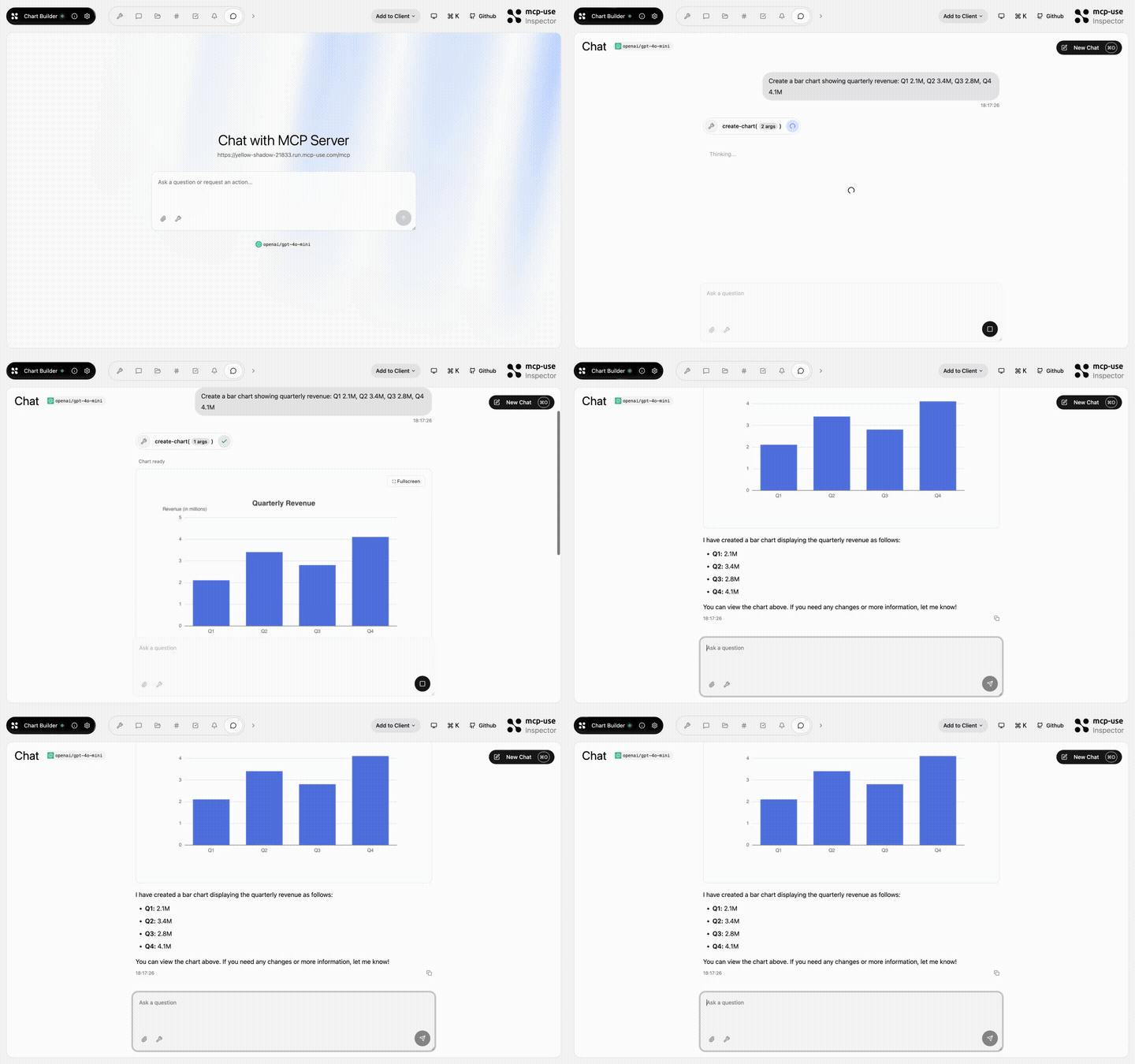 |
Chart Builder | Structured data rendered as interactive charts · Open demo |
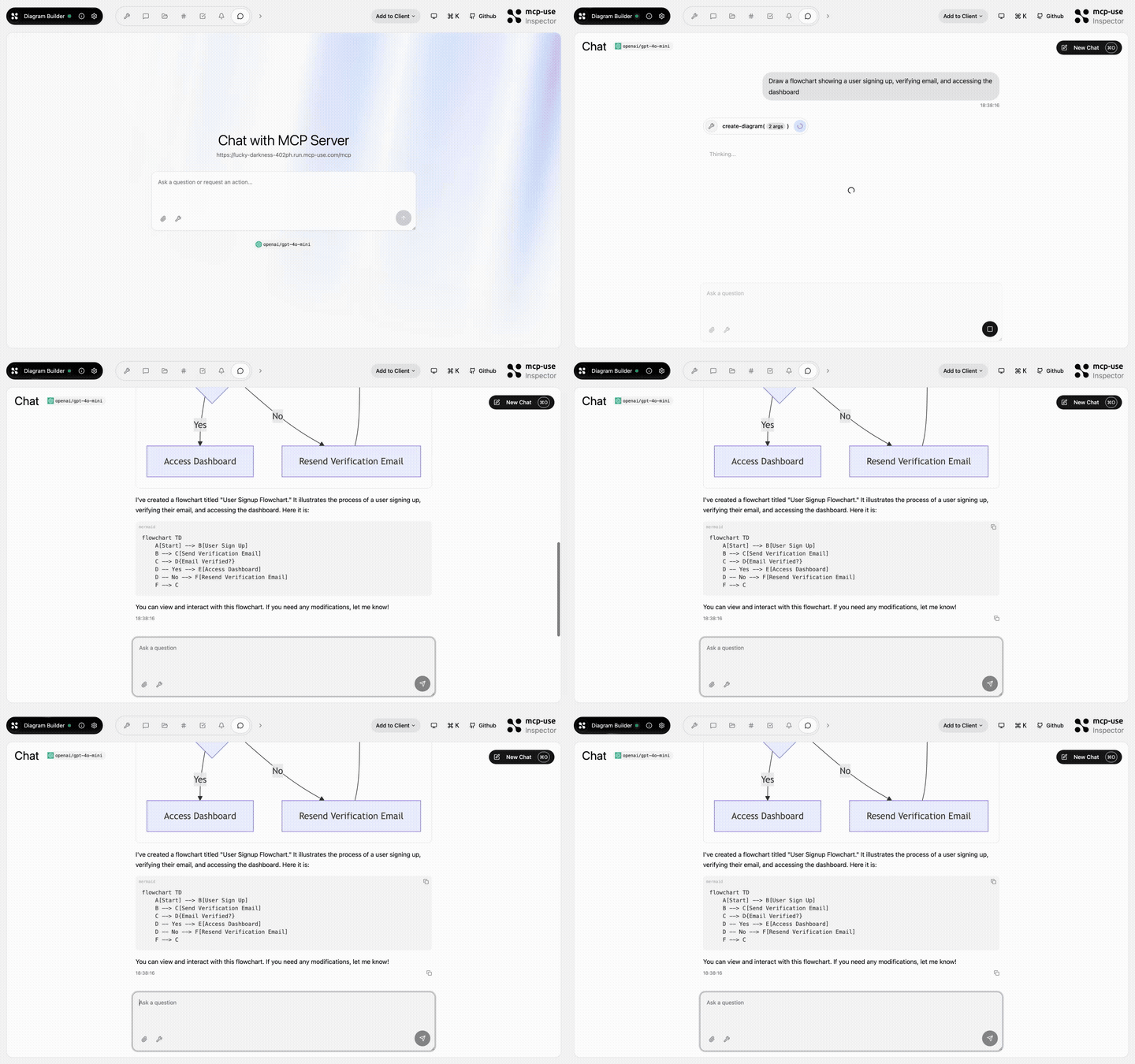 |
Diagram Builder | Create and edit diagrams through MCP tools · Open demo |
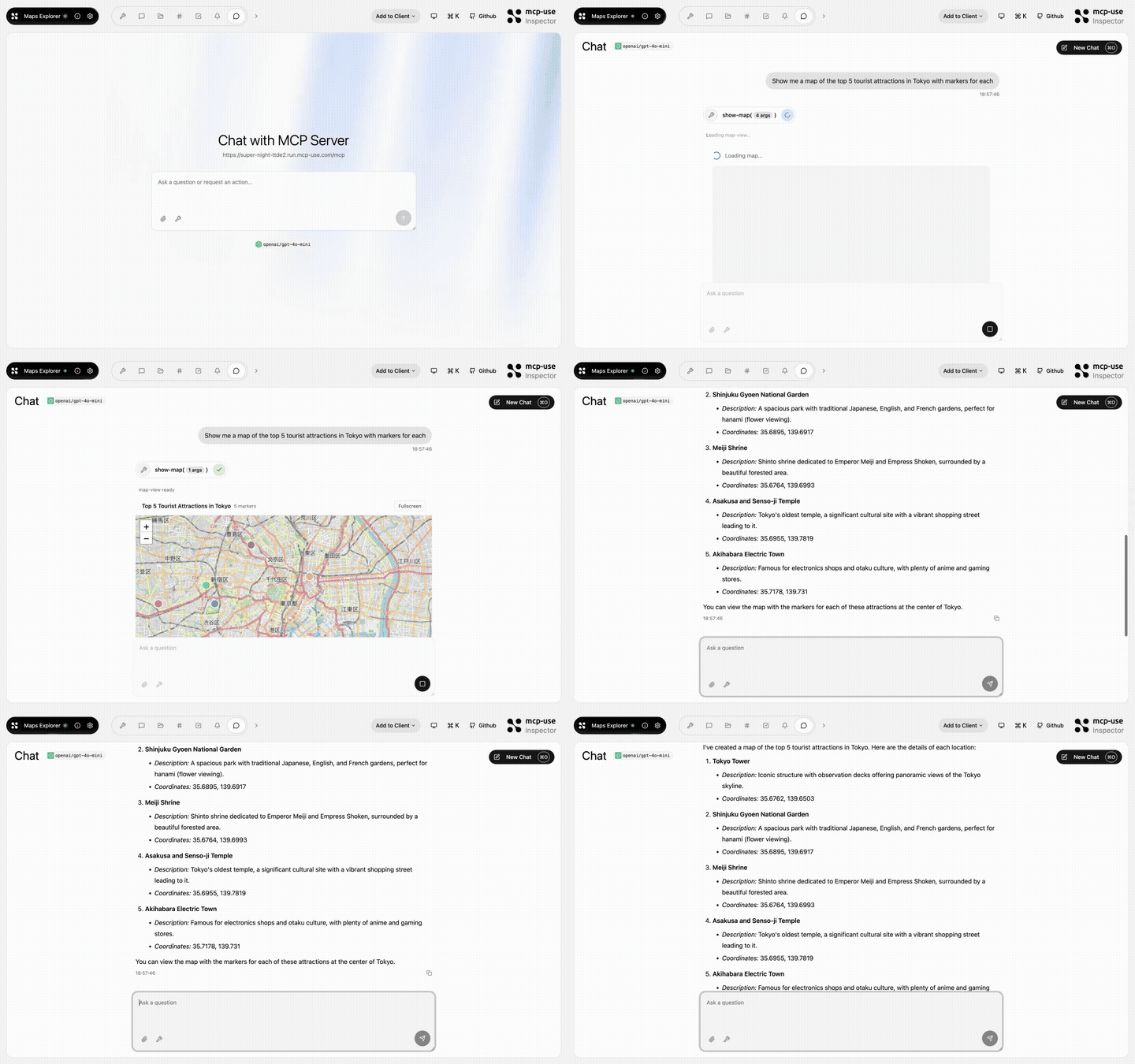 |
Maps Explorer | Search, detail tools, and an interactive map view · Open demo |
Browse all TypeScript examples →
Ecosystem
| Package | Use it for |
|---|---|
mcp-use |
TypeScript v2 server framework, React views, and CLI |
@mcp-use/client |
Connect to MCP servers from Node.js, browsers, React, and sandboxes |
@mcp-use/agent |
Build model-powered agents on top of MCP clients |
@mcp-use/inspector |
Inspect and debug MCP servers and apps |
create-mcp-use-app |
Scaffold servers and interactive apps |
mcp-use for Python |
Build Python MCP servers, clients, and agents |
- TypeScript documentation
- Python documentation
- Inspector documentation
- Agent documentation
- Client documentation
Protocol conformance


Security and community
Contributors
Built by Pietro, Luigi, Enrico, and the mcp-use community.