 github-actions[bot]
The TypeScript framework for MCP
Build, test, and ship MCP servers, ChatGPT plugins, Claude connectors
Fully Typed, native Views and MCP Apps support, built-in Inspector and first class Agent experience.
Documentation · Inspector · Examples · Deploy




Note
TypeScript v2 is in beta. It's a major improvement over v1. Use the npm
betatag. Python and TypeScript v1 →Migrating from v1? Give it to your agent: Read the migration guide →
Migrate this mcp-use project to v2 following
https://docs.mcp-use.com/v2/typescript/server/migration
Get started
Start with your agent
Build an MCP server: https://mcp-use.com/prompt.md
Start with code
npx -y create-mcp-use-app@beta
Run npm run dev in the generated project · open http://localhost:3000/mcp/inspector
Everything you need to ship MCP
Fully typedZod schemas flow from tools to structured results, View props, and tool calls. |
Native ViewsBind React Views directly to tools and ship interactive apps without custom extension wiring. |
Agent-first and headlessScaffold, invoke, inspect, screenshot, and deploy through your agent. |
Built-in debugging toolsInspect tools and Views in the browser or headlessly through the CLI. |
Quickstart
The scaffold gives you the server, TypeScript configuration, development scripts, Inspector, and a React view pipeline. Start it once and the MCP endpoint also serves a client-ready landing page with its connection URL and setup instructions.
Replace its index.ts with a view-bound tool like this:
|
Add Views to your tools
Create views/weather-card/view.tsx. The directory name matches view.name on the tool:
|

Build interactive UI experiences within ChatGPT with mcp-use.
Build
Create the production build:
npm run build
Inspect
Start development mode to serve the MCP endpoint at http://localhost:3000/mcp. The Inspector is automatically available at http://localhost:3000/mcp/inspector:
npm run dev

Invoke tools, validate inputs, and inspect interactive Views in the same development loop.
Start a tunnel from the Inspector UI or run mcp-use dev --tunnel to get a public URL for your local MCP server and test it with ChatGPT and Claude before deployment. Learn more about tunneling →
Inspect the same server headlessly from the terminal, invoke representative tools, and capture a View screenshot:
npm install --save-dev @mcp-use/client@beta
npx mcp-use client connect local http://localhost:3000/mcp
npx mcp-use client local tools list
npx mcp-use client local tools call get-weather city=Tokyo
npx mcp-use screenshot \
  --server local \
  --tool get-weather \
  city=Tokyo \
  --output weather-card.png
Deploy
Ship to Manufact and get observability, analytics, evals, submission readiness, and Git-based preview environments for free.
npm run deploy
Prefer to run it yourself? Follow the self-hosting guide →.
How mcp-use compares
mcp-use builds on the official TypeScript SDK v2 and adds first-class Views, typed tool-to-UI contracts, an optimized stateless runtime, the Inspector, screenshot verification, agent-first CLI workflows, and deployment.
block-beta
  columns 6

  metric["Metric"] mcp["mcp-use v2"] official["Official SDK v2*"] xmcp["xmcp"] skybridge["Skybridge"] handler["mcp-handler"]

  speed["Speed"] speedMcp["10,982 ops/s"] speedOfficial["8,050 ops/s"] speedXmcp["6,585 ops/s"] speedSkybridge["8,116 ops/s"] speedHandler["6,324 ops/s"]
  install["Clean install"] installMcp["74.4 MiB"] installOfficial["99.0 MiB"] installXmcp["121.9 MiB"] installSkybridge["137.5 MiB"] installHandler["388.0 MiB"]
  packages["Installed<br/>packages"] packagesMcp["51"] packagesOfficial["119"] packagesXmcp["171"] packagesSkybridge["300"] packagesHandler["130"]
  views["Views"] viewsMcp["✅"] viewsOfficial["◐ Extension"] viewsXmcp["✅"] viewsSkybridge["✅"] viewsHandler["❌"]
  nativeViews["Native Views<br/>on MCP 2026"] nativeViewsMcp["✅"] nativeViewsOfficial["❌"] nativeViewsXmcp["❌"] nativeViewsSkybridge["❌"] nativeViewsHandler["❌"]
  oauth["One-line<br/>OAuth adapters"] oauthMcp["✅"] oauthOfficial["◐ Primitives"] oauthXmcp["✅"] oauthSkybridge["✅"] oauthHandler["❌"]
  protocol["MCP 2026<br/>protocol"] protocolMcp["✅"] protocolOfficial["✅"] protocolXmcp["❌"] protocolSkybridge["❌"] protocolHandler["❌"]
  screenshot["Built-in View<br/>screenshot CLI"] screenshotMcp["✅"] screenshotOfficial["❌"] screenshotXmcp["❌"] screenshotSkybridge["❌"] screenshotHandler["❌"]
  tunnel["Built-in<br/>tunneling"] tunnelMcp["✅"] tunnelOfficial["❌"] tunnelXmcp["❌"] tunnelSkybridge["✅"] tunnelHandler["❌"]
  inspector["Built-in<br/>Inspector"] inspectorMcp["✅"] inspectorOfficial["❌"] inspectorXmcp["❌"] inspectorSkybridge["◐ Limited"] inspectorHandler["❌"]

  classDef label fill:#f6f8fa,stroke:#d0d7de,color:#1f2328,font-weight:bold
  classDef brand fill:#dcfce7,stroke:#16a34a,color:#166534,font-weight:bold
  classDef header fill:#f6f8fa,stroke:#d0d7de,color:#1f2328,font-weight:bold
  classDef value fill:#ffffff,stroke:#d0d7de,color:#1f2328
  classDef leader fill:#dcfce7,stroke:#16a34a,color:#166534,font-weight:bold
  classDef partial fill:#fff8c5,stroke:#d4a72c,color:#633c01,font-weight:bold
  classDef unavailable fill:#f6f8fa,stroke:#d0d7de,color:#6e7781

  class metric,speed,install,packages,views,nativeViews,oauth,protocol,screenshot,tunnel,inspector label
  class mcp brand
  class official,xmcp,skybridge,handler header
  class speedOfficial,speedXmcp,speedSkybridge,speedHandler,installOfficial,installXmcp,installSkybridge,installHandler,packagesOfficial,packagesXmcp,packagesSkybridge,packagesHandler value
  class speedMcp,installMcp,packagesMcp,viewsMcp,viewsXmcp,viewsSkybridge,nativeViewsMcp,oauthMcp,oauthXmcp,oauthSkybridge,protocolMcp,protocolOfficial,screenshotMcp,tunnelMcp,tunnelSkybridge,inspectorMcp leader
  class viewsOfficial,oauthOfficial,inspectorSkybridge partial
  class viewsHandler,nativeViewsOfficial,nativeViewsXmcp,nativeViewsSkybridge,nativeViewsHandler,oauthHandler,protocolXmcp,protocolSkybridge,protocolHandler,screenshotOfficial,screenshotXmcp,screenshotSkybridge,screenshotHandler,tunnelOfficial,tunnelXmcp,tunnelHandler,inspectorOfficial,inspectorXmcp,inspectorHandler unavailable
* Includes @modelcontextprotocol/ext-apps, Vite, and zod for an MCP Apps-capable stack.
Clean install is actual node_modules disk usage after a normal npm install, including required peer dependencies; it is not npmx's peer-excluding modeled size.
Read the detailed benchmark report →
Examples
Remix a complete MCP App, inspect the source, or deploy it as a starting point:
| Preview | App | What it demonstrates |
|---|---|---|
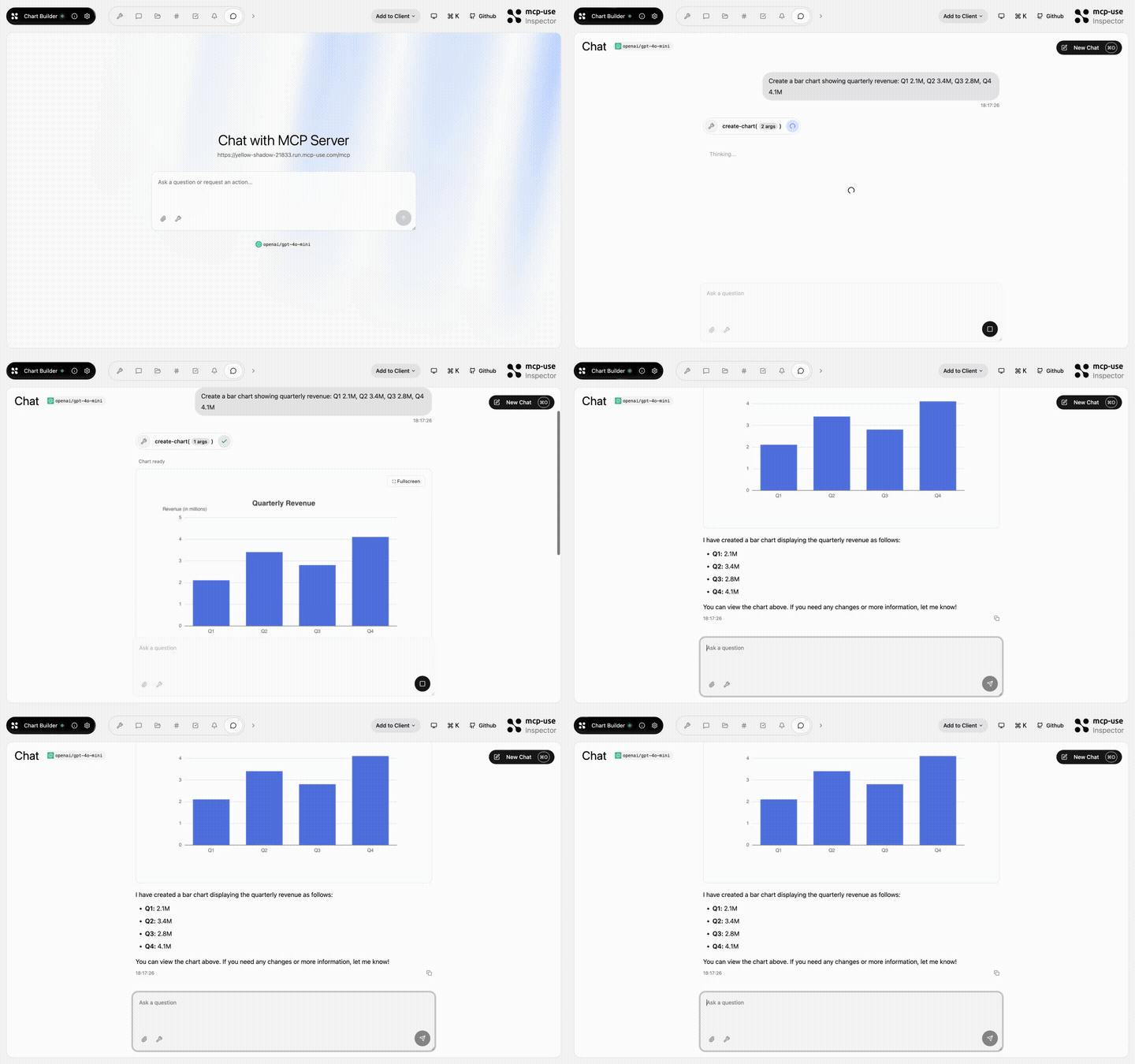 |
Chart Builder | Structured data rendered as interactive charts · Open demo |
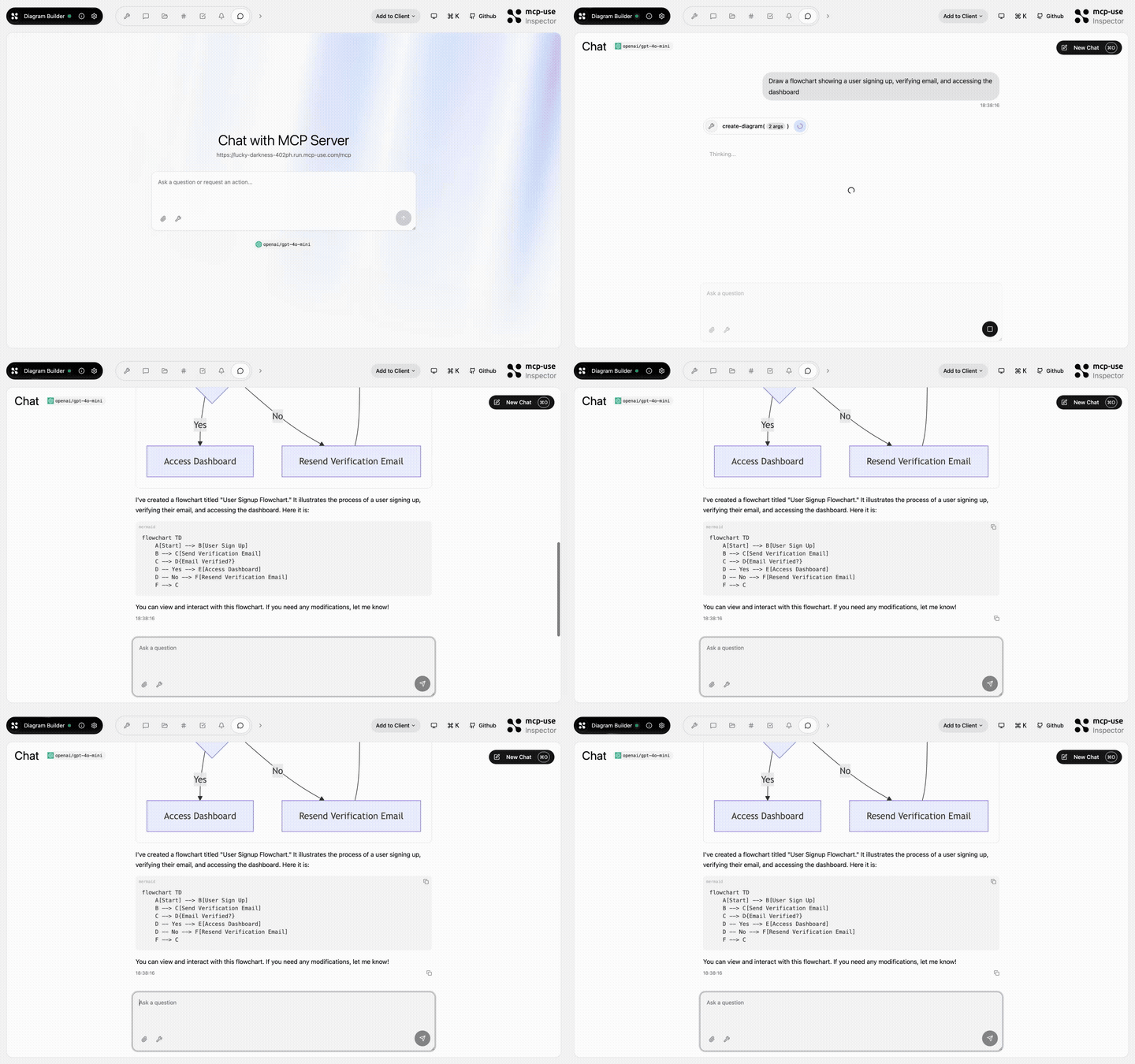 |
Diagram Builder | Create and edit diagrams through MCP tools · Open demo |
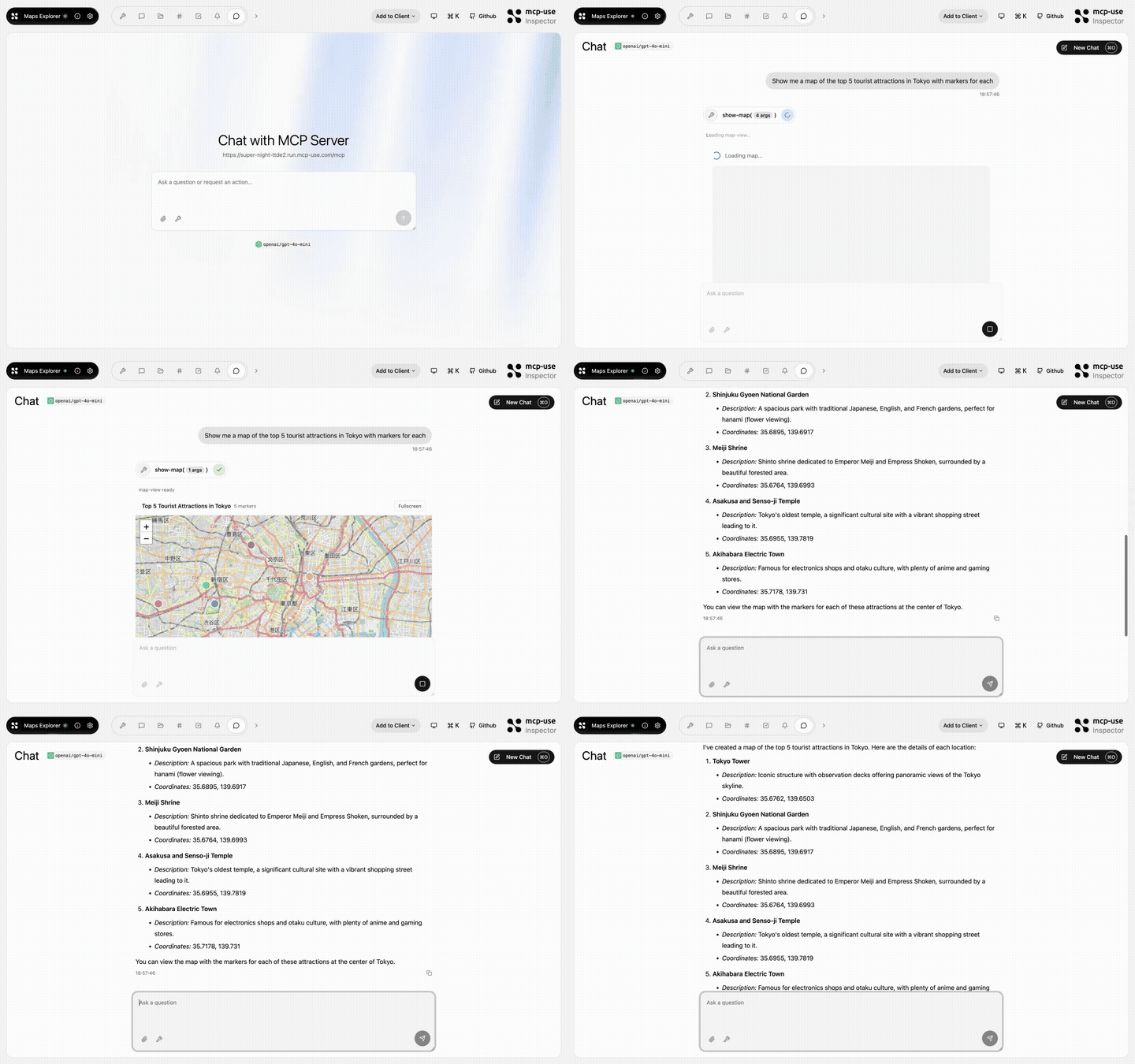 |
Maps Explorer | Search, detail tools, and an interactive map view · Open demo |
Browse all TypeScript examples →
Ecosystem
| Package | Use it for |
|---|---|
mcp-use |
TypeScript v2 server framework, React views, and CLI |
@mcp-use/client |
Connect to MCP servers from Node.js, browsers, React, and sandboxes |
@mcp-use/agent |
Build model-powered agents on top of MCP clients |
@mcp-use/inspector |
Inspect and debug MCP servers and apps |
create-mcp-use-app |
Scaffold servers and interactive apps |
mcp-use for Python |
Build Python MCP servers, clients, and agents |
- TypeScript documentation
- Python documentation
- Inspector documentation
- Agent documentation
- Client documentation
Protocol conformance


Security and community
Contributors
Built by Pietro, Luigi, Enrico, and the mcp-use community.