 Michael Ramos
b23ffee9ec
Michael Ramos
b23ffee9ec
#1357 made the panel defer to the app's stored theme mode and seeded
System only when no mode was stored. That helped first-time panels and
nobody else: every panel opened before it already stored `dark`, written
by ThemeProvider on its first mount rather than chosen by anyone, so the
seed never fired and the panel stayed dark in a light IDE. That is issue
#1053 exactly, still broken for the users who reported it.

There is no provenance in the store to read: it is one flat cookie string
in globalState with no timestamps and no per-cookie metadata, and the app
writes the same `plannotator-theme=dark` whether the user picked Dark or
never opened the theme settings. The migration leans on the three signals
that do exist. `light` and `system` are values the auto-seed cannot
produce, so they are choices and are never touched. A new
`plannotator-vscode-seed` marker, written on every load, makes the
re-seed run at most once per store, so a Dark picked afterwards is
permanent. And a mode the user actually picked is recorded server-side in
~/.plannotator/config.json by configStore.set, which configStore.init
applies over the cookie and writes back, so a real choice outranks the
seed and re-asserts itself in the same page load.

What remains is a Dark that exists only as a cookie with nothing in
config.json behind it. That is indistinguishable from the auto-seed and
is reset once: invisible in a dark IDE, and in a light IDE one re-pick
makes it stick for good.

Also fixes the type error #1357 shipped in applyPanelCookieDefaults and
adds the extension's own tsc to CI, which had never run there.

Co-authored-by: Michael Ramos <backnotprop@gmail.com>

Plannotator
Interactive plan review and code review for AI coding agents — inside VS Code.



Opens Plannotator plan reviews and code reviews inside VS Code tabs instead of an external browser. Works with Claude Code, OpenCode, and other AI agents running in the integrated terminal.
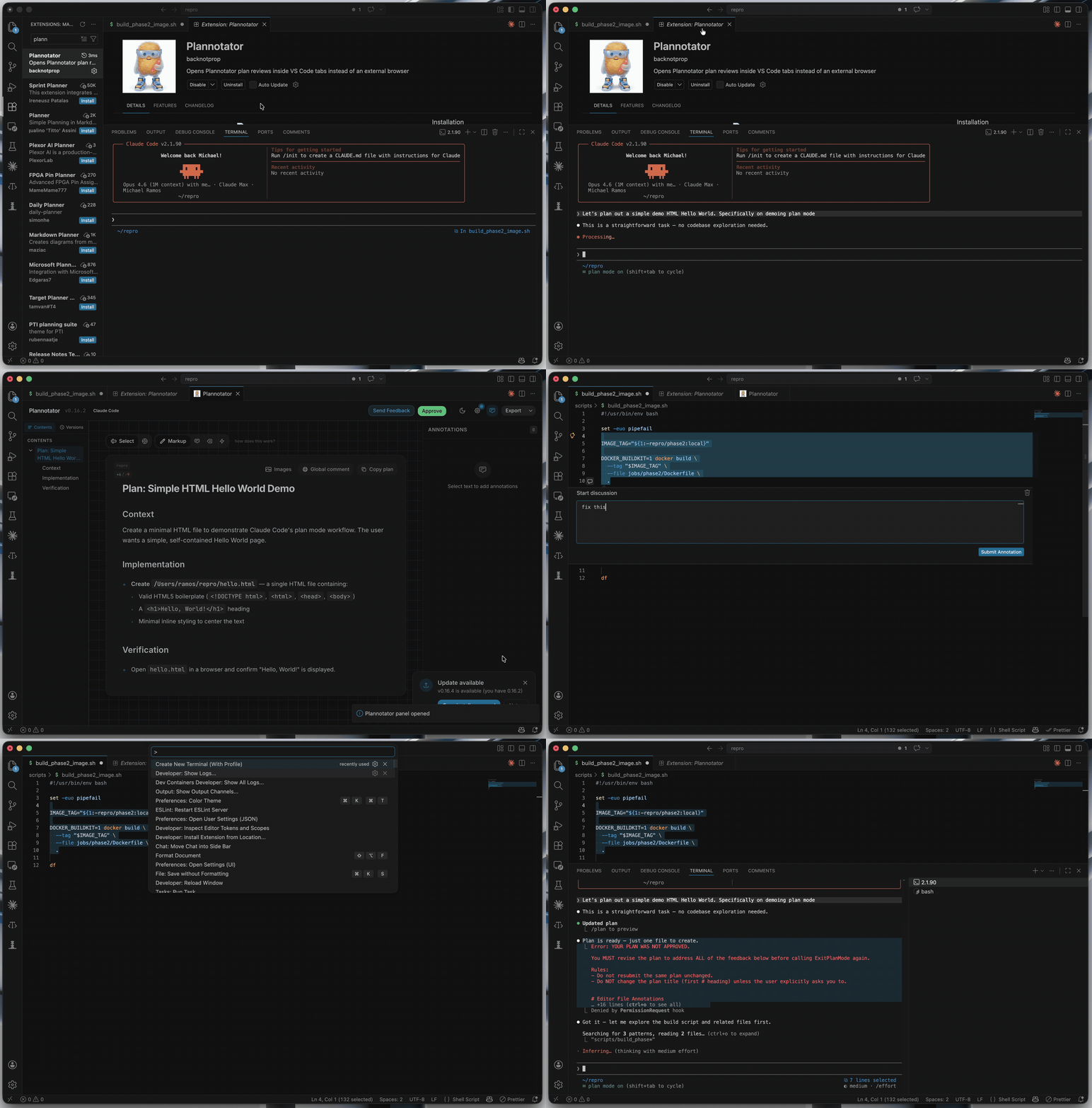
Plan Review
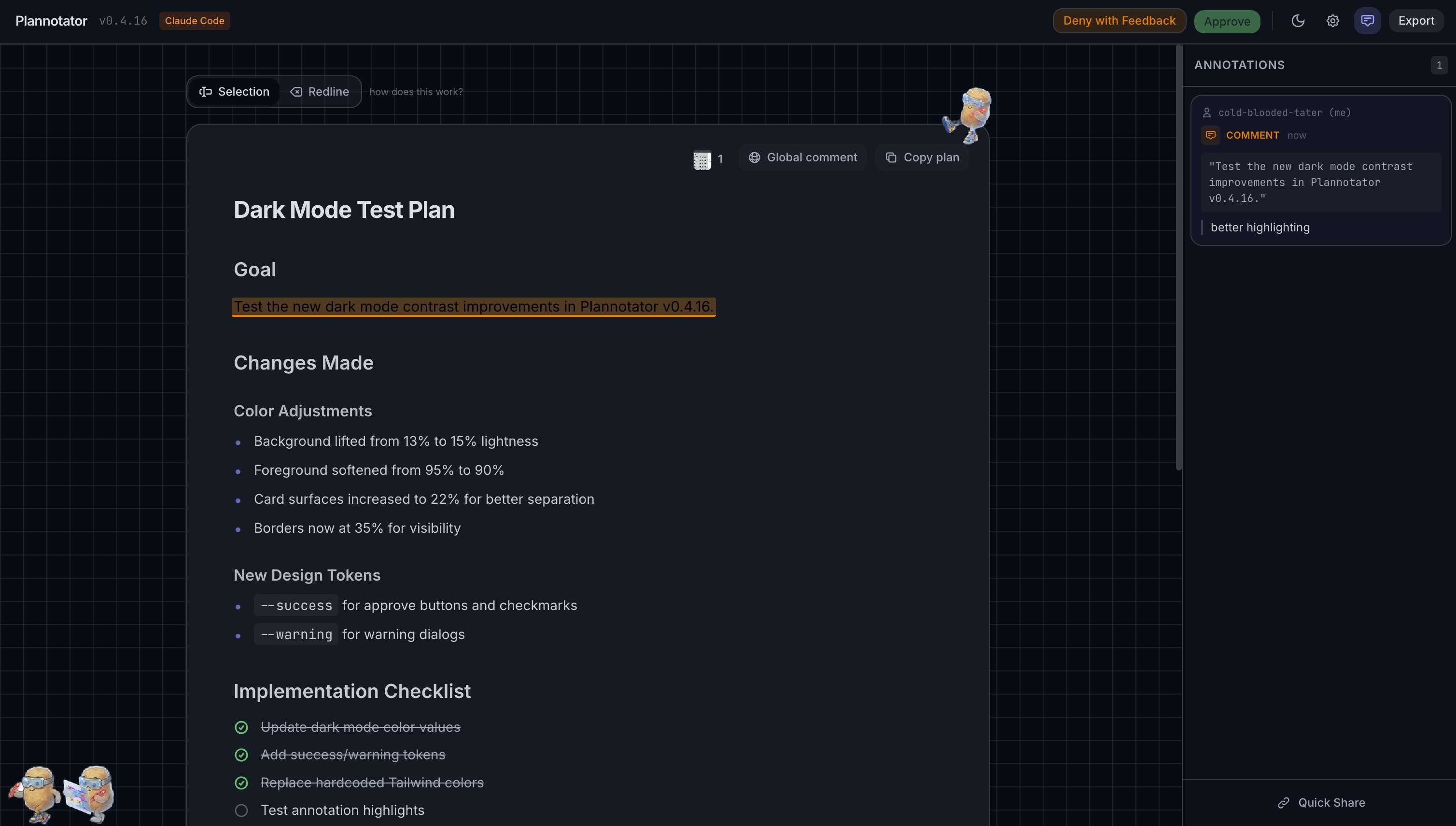
Review, annotate, and approve AI-generated plans without leaving your editor. Add comments, mark deletions, compare versions with plan diffs, and send structured feedback back to the agent.
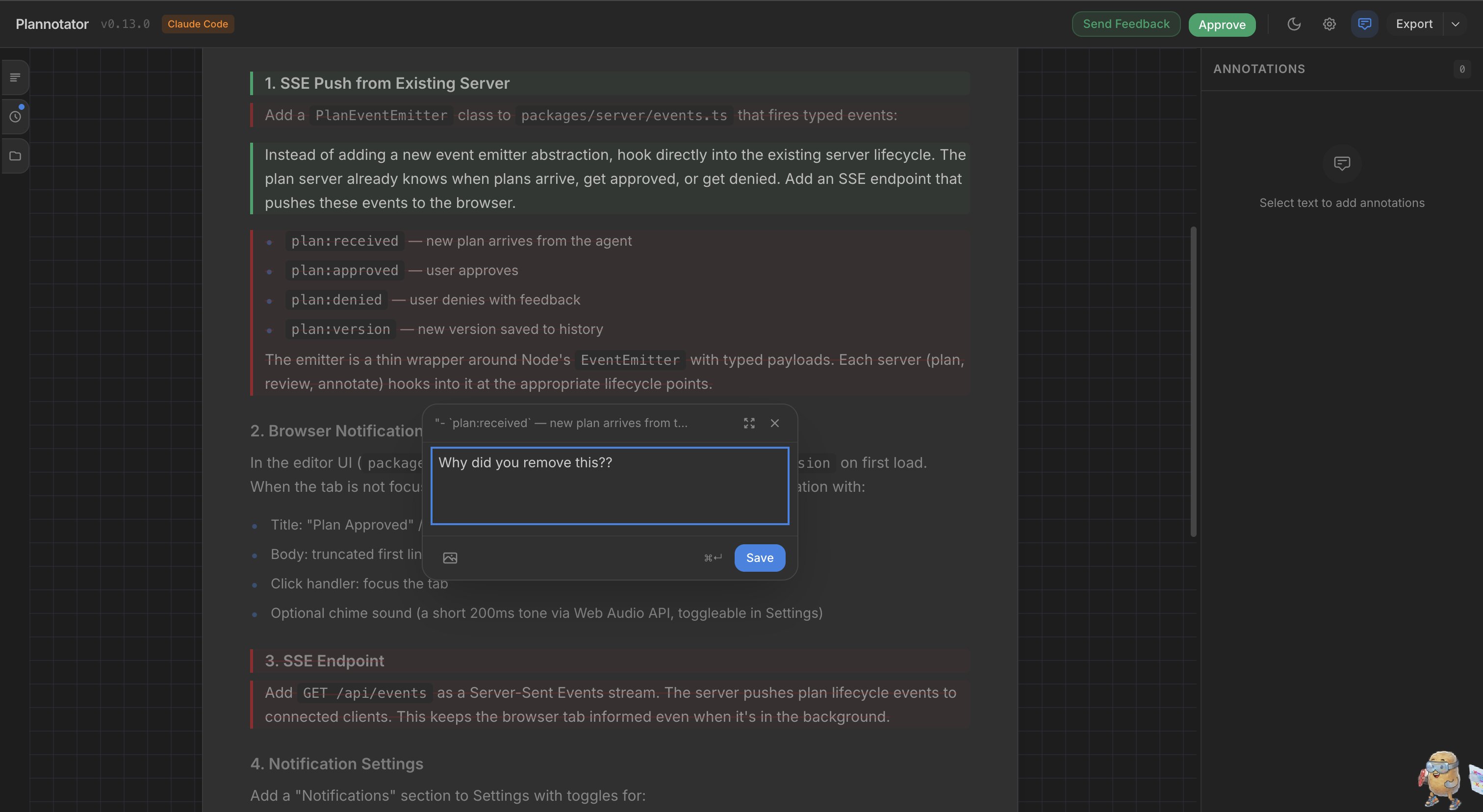
Code Review
Review code changes with a full diff viewer, file tree, inline annotations, and AI-assisted review — all in a VS Code tab.
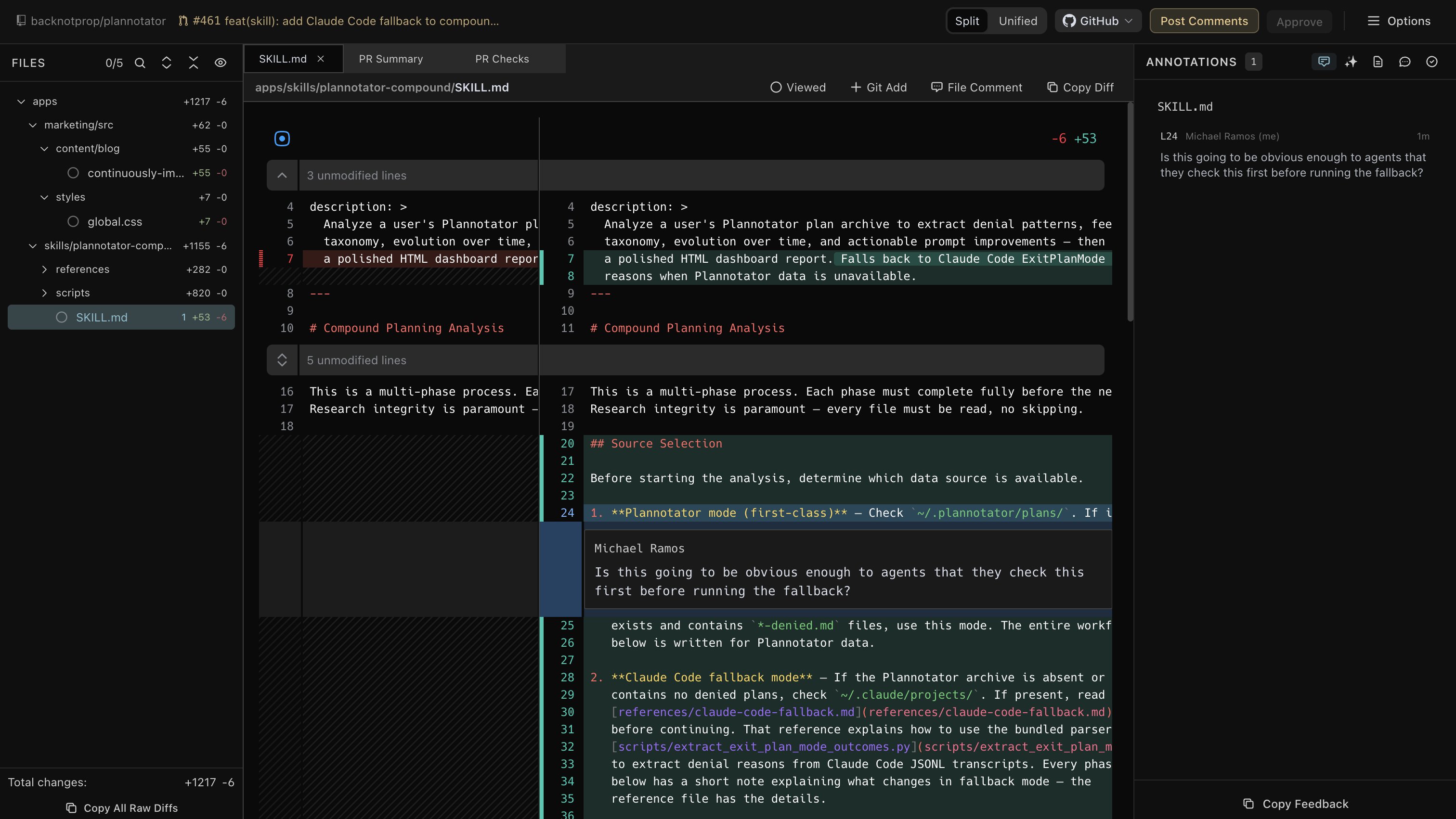
Features
- In-editor plan review — approve or deny plans with annotated feedback, directly in a VS Code tab
- In-editor code review — review git diffs and PR changes with inline comments and suggestions
- Editor annotations — select code directly in your editor and annotate it with
Cmd+Shift+.— annotations appear in the Plannotator review UI alongside inline comments - Theme sync — Plannotator adapts to your VS Code color theme automatically, and steps aside as soon as you pick a theme of your own in Plannotator's settings. A palette you chose is always used verbatim, and choosing Light or Dark pins the panel to that mode whatever the IDE is set to. Leave the mode on System to keep following the editor. Panels that predate theme sync stored Dark before the mode was ever a choice, so the first panel you open after upgrading resets that one stored Dark to System. It happens once: pick Dark again and it stays.
- Cookie persistence — your identity, settings, and preferences persist across sessions
- Auto-close — panels close automatically when you approve or send feedback
How It Works
- The extension injects a
PLANNOTATOR_BROWSERenv var into integrated terminals - When Plannotator opens a URL, a bundled router script sends it to the extension via a local IPC server
- The extension opens the URL in a WebviewPanel with an embedded iframe
- A reverse proxy handles cookie persistence transparently (VS Code webview iframes don't support cookies natively)
Getting Started
- Install this extension from the VS Code Marketplace
- Install the Plannotator Claude Code plugin:
/install-plugin backnotprop/plannotator - Launch Claude Code from VS Code's integrated terminal — this is required so the extension can intercept browser opens. Plan reviews, code reviews, and annotations will automatically open in VS Code tabs instead of an external browser.
Note: Terminals opened before the extension activates won't have the required environment variables. If plans open in an external browser, open a new integrated terminal and try again.
Configuration
| Setting | Default | Description |
|---|---|---|
plannotatorWebview.injectBrowser |
true |
Redirect Plannotator to open in VS Code instead of an external browser |
Commands
| Command | Keybinding | Description |
|---|---|---|
| Plannotator: Open URL | — | Manually open a Plannotator URL in a panel |
| Plannotator: Add Annotation | Cmd+Shift+. |
Annotate selected code in the editor |
Troubleshooting
URL opens in external browser instead of VS Code
- Ensure
plannotatorWebview.injectBrowseris enabled - Open a new terminal after installing the extension (existing terminals won't have the env var)
Panel shows a blank page
- Check if Plannotator's server is still running
- Some network configurations may block localhost access from the webview
Requirements
- Plannotator Claude Code plugin installed
- VS Code 1.85.0+
License
MIT